“Any sufficiently advanced coffee is indistinguishable from pie.”

— Starbucks' Law

Fan-Service Rocks!, episode 2


Thanks for calming down a bit, Ruri. Please don’t feel that you need to make up for it with fan-service; Nagi’s got that covered.

(…and if there was gold in them there hills, we’d all be rich…)

This couldn’t possibly end badly…

ChatGPT can now buy directly from Etsy. I’m sure Sam Altman will guarantee refunds when it accidentally purchases 1000 handmade small-batch organic vegan jam jars (Made In China) instead of 1 blender cozy.

(I recently saw a nice little “handmade-in-California” bamboo desktop drawer set on Etsy, for only six times the price of the exact same Chinese item on Amazon…)

Dear Topaz,

A while back, I purchased a standalone, perpetual license for Photo AI. It said there was an update to download. This turned out to be a new product named Photo. Subscription-only. Yeah, no.

And every time I launch the old app, there’s a prominent “upgrade” button, and a splash screen with the words “your perpetual ownership and active license make you a Topaz Founding Customer, giving you access to the new app at no extra cost.”

… except the $199/year subscription, which currently has a $100 discount for the first year. Clearly they’ve been studying the cable-tv & Internet pricing model.

There’s also a strong push to get a “special” subscription that costs even more, but includes more apps that I have no use for.

Dear Apple,

This morning, I deleted 200 GB of data from my Mac laptop. Hours later, it still hasn’t noticed and insists that the disk’s nearly full. It doesn’t even show up in the “purgeable” field on the Get Info window. There is no way to determine how much space is actually available.

Well, there is, but it’s poorly documented: disable Time Machine backups. This quickly updates the “purgeable” space to the correct value.

It doesn’t do anything with that space. That requires a separate command:

sudo tmutil thinlocalsnapshots /System/Volumes/Data 20214748364800 1

That’s 200GB in bytes, because of course that’s the unit you should use on a device that ships with hundreds of gigabytes of storage.

And don’t forget to turn your backups back on after the cleanup. It will never remind you.

(the data in question was my Lightroom photo archives, which I copied over to the much-faster Mac Mini yesterday; once I had confirmed backups on both ends, I nuked the old copies)

Fan-Service Rocks!, episode 1


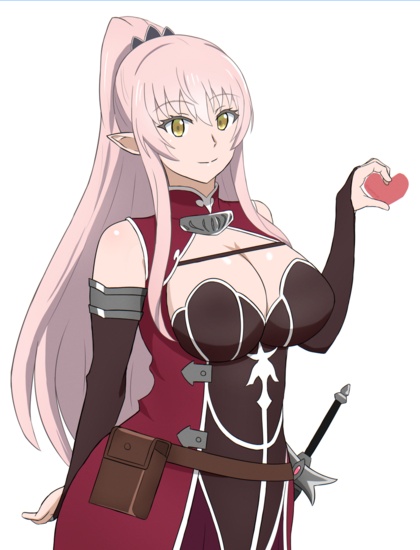
Please tell me that Ruri gets less shouty and annoying, because the lush-bodied rock-jock with a war hammer is aligned with my interests. Also, the music is a touch too dramatic, but the scenery is pleasant (not just Nagi). Her soothing Raphtalia voice is just a bonus.

Perhaps it’s coincidence, but when I stopped by the grocery near my parents’ house, I saw a woman walk by who could have been Nagi’s slightly-older sister. Took me a moment to remember what I went there for, especially with the crossbody purse strap highlighting the resemblance.

Verdict: please grow up fast, Ruri; and I don’t mean in the need-more-fanservice way. That’s more than covered, and I haven’t even seen the busty glasses gal yet.

(fan-art count for the series: 1,500+, and less than 500 are R-18+; not that there aren’t plenty of suggestive pieces outside the filter…)

Seven years later…

…Tim Berners-Lee is still trying to make “Solid” a thing. And after spending half an hour reading the current website (the original Github repo was abandoned without any code ever being checked in), I still don’t know what it’s good for. If he’d taken that long to invent the web, we’d still be living in caves.

Kaiju No. 8 2, fin


[Last show! Until I dip into the reserves from previous seasons!]

Last week, the shit hit the fan, with kaiju springing up all over the place and forcing the good guys to pull out (almost) all the stops to defeat them. This week, it’s more like the shit hit a nuclear bomb, and we see all the major players on Team Good Guy individually targeted by bespoke kaiju while Our Monster Hero obeys orders to keep his head down. Until he doesn’t.

Verdict: cliffhanger! no season 3 announcement yet! Platoon Leader Cutie survived!

(Platoon Leader Cutie got the most screen time she’s ever had, so I’ll celebrate with an Esil)

Dear Interwebs,

Stop trying to make “clankers” a thing. It would be more correct to refer to generative AI as “crankers”, “hallucino-gens”, or “shittoasters”. “Clankers” implies a physical presence that they do not possess, and falsely implies that the “AI” features touted in physical devices are more than marketing buzzwords. I’ve mostly settled on “genai” by analogy to “genie”, although more the Aladdin type than the I Dream Of Genie variety (which I wouldn’t lock up in a server room…).

(I need to make this gal reproducible for future use; right now, she’s just “skinny, nerdy-cute young woman wearing big round glasses with thick lenses”, but that may not produce consistent results in other contexts, even though Qwen has some very strong face preferences)

Qwen Image does not know what a “knife switch” is, even if you use the Chinese term that reliably returns images of the right thing (电源闸刀). Also, even in the successful image, I called it a switch, not a Big Red Button. It’s a bit iffy on the concept of “rack of servers”, too, doing better with “server rack”. Also, I asked for a “redneck genie”, and all it got out of that was the color.

“What’s that do?” is of course a Buffy reference.

The robot-adjacent term also suggests a degree of autonomy that does not exist outside of Sam Altman’s febrile imagination. Which is also a steaming pile of marketing buzzwords; look how his fluffers describe the reinvention of cron jobs.

Okay, one more…

Just because she’s actually pushing the button this time.

Death by Cheesecake!


Or more precisely, “cheesecake by deathmatch”. Hey, I’ve got the silly thing, might as well use it to speed up processing my dusty pile of saved girlie-pics. While playing with “AI” tools, I downloaded Windsurf, ordered it to clean up the code for maintainability and then add a new function to export the currently-visible list to the clipboard (press L). Now I can quickly rank the images, use a flag to split them into NSFW and less-NSFW, and then toggle the flag to get two distinct export lists to pipe to my cheeseblogging prep scripts.

(Windsurf took me so seriously I ended up with a multi-file distribution package, but I had no difficulty reassembling it into a single file for simple downloading)

But first, a message from our sponsor, Qwen Image:

(the hardest part of this was getting it to render a “standard” onigiri rice ball; first it wrapped the entire thing in fresh green seaweed, then it made it huge, then it added additional wrapping on top of the nori strip, etc)

This is a selection from “stuff I downloaded in April, 2019”.

more...

Claudified Future Gals


No new anime, words that I’ll be saying for the next three months, so it’s time for more “AI” cheesecake. Maybe I’ll dig into my real cheesecake archives for contrast as well.

Today’s randomized babes are based on SFnal settings and costumes provided by Claude AI. It had no difficulty grasping the concepts of “vivid, exotic sci-fi locations” and “sexy retro-futuristic costumes for women”, generating detailed descriptions that Qwen Image was able to run with.

More importantly, it didn’t fall down on the unique part. It didn’t take forever to generate 100 results, and they were truly distinct, not just slight wording variations. Most importantly, it did not scold me for requesting “sexy”, or refuse to do my bidding. Although I haven’t asked for lingerie sets yet…

Qwen has recently released updated versions of some of their models, so I hope they get around to revving Image soon. I can cope with the usual finger-counting and the giantism, but I really hate seeing a great image ruined by a missing leg or wrong-side foot, something that’s really common.

more...

Five-Star Deathmatch: The Movie


Okay, now that I have a (half-dozen implementations of a…) well-tested image-ranking Python script, how do you use it?

  1. Download deathmatch.py

  2. Install Flask:
    pip install Flask

  3. Run the script with a single argument, the name of a directory full of PNG and/or JPG images:
    python deathmatch.py /Volume/galparty/fresh

    and open a browser window to http://127.0.0.1:5000, You should see a status bar at top, the first image in the directory by modification time, a help button in the upper right, and two rows of buttons at the bottom.

  4. The first row of buttons are rank. All images start at 0, and can either be promoted by pressing 1-5 or rejected by pressing X. This will update the matching buttons at the bottom and advance to the next image.

  5. The second row of buttons are flags. One or more can be selected by pressing A-F; this will not advance to the next image, so you can flag a picture before ranking it. Flags mean whatever you want them to, and are there so you can easily mark images that are interesting for reasons other than quality (“family”, “funny”, “disturbingly similar to that girl from Frozen”, etc). The far-right button matches images that do not have any flags set.

  6. Clicking on any of the buttons excludes matching images from the display.

(pretty sure there’s no giant office complex in Red Rock Canyon…)

Ranking and flags are stored in the same directory in a file named _rank.txt. The fields are separated with tabs. This file is updated every time you change a rank or flag, so your progress is automatically saved.

Running a deathmatch

  1. Run the program in a directory full of images and click each of the following buttons: X, 1, 2, 3, 4, and 5, filtering the list to show only rank 0 images (all of them the first time).

  2. Starting with the first image, press either X or 1. Make this a very quick pass that just takes out the trash. Out of focus, picture of lens cap, shakycam, AI gal with three arms, etc. When you’re done, you’ll have no images left at rank 0.

  3. Click the 0 and 1 buttons, so that only rank 1 images are displayed. Make a pass across all rank 1 images, promoting exactly one-third to 2. The easiest way to do this is just have your fingers on the 1 and 2 keys rather than using right-arrow to skip the 1’s. Be brutal; you’re picking your best. If a picture is interesting, flag it with A-F.

  4. (Optional: walk away for an hour or a day, and come back fresh) Adjust your filters and make a pass across all rank 2 images, promoting exactly one-third to 3.

  5. Rinse and repeat two more times, until 1/81 (1.2%) of your original rank 1 images are ranked 5.

Since this isn’t a full photo-management app, there’s no convenient way to package up your selected pics for printing or editing, but you can copy-paste the filename from the top-left corner, or make a copy of the _rank.txt file and edit it down to just the ones you want.

[Update: I cleaned up the code and added a simple export: press L to copy the current visible list to the clipboard, one per line]

There are five six additional commands available:

  • Up and Down-arrow, to take you to the beginning/end of the list
  • Z for zoom, to see images at full size with scrollbars
  • R for reset, to turn off all active filters
  • L to copy the list of visible images to the clipboard
  • SPACEBAR to reload the image list from the directory, in case you’ve got an AI actively generating images in the background, as one does.

Unrelated,

The new Dr Seuss LoRA for Qwen Image doesn’t really work for illustrating Red Sonja.

The $LICENSED_TOOL ‘AI’ Coding Experience


I fed it the spec, and it created a multi-file project, with a separate HTML template file, a cleanly-formatted README.md containing a quite reasonable summary of the purpose and function of the program, a requirements.txt file containing the dependencies, and a Python program that worked on the first try.

In testing, I identified four issues: two of them were arguably ambiguities in the spec, the other two were related to correctly displaying images larger than the window. After checking in the initial version, I went through the “approve changes” dialogs, where it showed me each change in a clear, clean diff. The resulting code passed all my tests.

For the third pass, I told it to package the whole thing up for distribution with the Python Poetry toolkit. It did. I’m done.

I did not allow $LICENSED_TOOL to run commands, even git checkins (which other IDEs can do without handing over the reins to an AI), because I’m not stupid. Still, the experience was so much better that I’d consider paying the $15/month fee if I had a lot of projects just lying around waiting to be written.

This is my shocked face; there are many like it, but this is mine:

(I’m not nearly this fat, and I haven’t had a sugared Pepsi in over a decade; the rest is 100% accurate 😁)

The gals show plenty of diffusion bleed; the pin-ups are human gals with “cat ears and cat tail” (because “catgirl” makes disturbing furries), and the t-shirt gal is just an elf, with no mention of an apparently-detachable tail. It took several tries to get even one pin-up gal without elf ears.

Codellama-34B

I was chatting about this at work after sharing my positive experience with $LICENSED_TOOL, and someone asked DuckDuckGo which offline coding LLMs to use. It recommended WizardCoder and two variations of Codellama. I grabbed the largest versions of them (~34GB each on disk) and fed them the spec.

Codellama wrote me a short story about how it would write the program. Just the story, no code.

I followed up with “write the program”. It wrote a sequel to the story.

I followed up with “where’s the code?”, and its answer was, I shit you not:

I uploaded my code on Github as well - https://github.com/akshat-raj09/CMPE15M_A3

I’m gonna need a bigger shocked face.

(also, those models all have a maximum 16KB context limit, so even half a dozen passes will blow it out; deleted)

Unrelated,

Amazon’s recommending bibles this week. Gosh, what could have happened recently that shifted the algorithm? Like the motives of a left-wing Antifa terrorist who was fucking a furry tranny, I guess we’ll never know.

Even more unrelated,

I was briefly deeply disturbed by the Chinese furniture manufacturer that has chosen the brand name Goaste. Read it wrong the first time…

Dear ANN reviewer,

I really don’t care about your trans journey, or how you feel it was reflected in the final episode of Call Of The Night 2. Allow me to introduce you to the concept of TMI.

Batch Gals

SwarmUI’s wildcard support isn’t completely random. Buried in the “Swarm Interal” section of the parameters is the “Wildcard Seed Behavior” param, which defaults to “Random”. Changing it to “Index” will loop through the wildcards file in order.

So I used my latest wildcard set to generate 250, piped that through the LLM prompt enhancer, and turned it loose.

Not all of the fails were due to the enhancer. Missing limbs and off-by-N finger counts are old hat, so let’s stick to novel fails.

more...

More fun with Qwen Image


Despite its many flaws, I really think this is the most promising model to play with, because the bolted-on LLM parser significantly improves your ability to lay out an image and add text.

This image came out almost exactly as requested. I ran it multiple times to select the best variation on the theme (sexy pin-ups, size and style of dice, length of liquor shelf, facial expressions, contents of character sheets, etc), but they were all correct.

The exact prompt was:

A gritty, realistic fantasy RPG illustration set in a tavern, with a large central table around which are seated five bearded dwarves wearing leather armor, with axes slung on their back. On the table in front of each dwarf are RPG character sheets, polyhedral dice, and wooden tankards filled with ale. The wall behind them has shelves full of liquor bottles with rune-covered labels, and pin-up posters of sexy goblin girls. The center dwarf is speaking, and the speech bubble contains the words “Okay, now make a shaving throw…” in a handwriting font.

Naturally, the speech bubble works with my usual sort of imagery as well…

(I didn’t specify maid lingerie, but I did ask for “elf maidens”, so call it a lucky accident)

Dear Microsoft,

I just had to email a plain-text attachment as a ZIP file from a Mac to a Mac to keep Outlook from mangling UTF-8 into random garbage. Fix the little shit before you shove your “AI” into every app, m’kay?

Coding with ChatGPT…

End every request after the first with the following words. You’ll thank me later.

Please fix ONLY this issue, and write out the complete corrected program, without making ANY unrequested changes to the code.

This is pretty much the only way to get readable diffs of your iterations. Otherwise there will be random changes everywhere. Comments added/deleted, code collapsed onto one line or expanded to multiples, functions renamed or reordered, regressions created, etc, etc.

Final ChatGPT Deathmatch

This is version 18.5; ChatGPT was still offering me additional enhancements, but we’d far exceeded my patience, even without the four-hour delay while my free credits recharged. The last two revisions were fixes for bugs that only emerged in final QA, where ranking/flagging an image with a value that was currently filtered out of the display list double-advanced, skipping over a still-valid image. Since the whole point of the method is progressively assigning ranks to every image, skipping one was a nuisance.

The “.5” comes from me not wanting to make Yet Another ChatGPT Pass to fix two lines of Javascript that were easily located in the file. The LLM had argued its way into violating the spec at the last minute while fixing the final bug.

It’s GenAI code, so by definition it can’t be copyrighted; if you have any use for it, knock yourself out.

#!/usr/bin/env python3
import sys, os, threading
from pathlib import Path
from flask import Flask, send_file, request, jsonify, render_template_string, abort

app = Flask(__name__)

BASE_DIR = Path(sys.argv[1] if len(sys.argv) > 1 else os.getcwd()).resolve()
RANK_FILE = BASE_DIR / "_rank.txt"
state_lock = threading.Lock()
files = []
meta = {}

# ------------------------------------------------------------
# Load/save ranking state
# ------------------------------------------------------------
def load_state():
    global files, meta
    files = sorted(
        [f.name for f in BASE_DIR.iterdir() if f.suffix.lower() in (".png", ".jpg")],
        key=lambda fn: (BASE_DIR / fn).stat().st_mtime,
    )
    meta = {}
    if RANK_FILE.exists():
        for line in RANK_FILE.read_text().splitlines():
            parts = line.split("\t")
            if not parts:
                continue
            fname = parts[0]
            rank = int(parts[1]) if len(parts) > 1 and parts[1] else 0
            flags = set(parts[2].split(",")) if len(parts) > 2 and parts[2] else set()
            meta[fname] = {"rank": rank, "flags": flags}
    for f in files:
        if f not in meta:
            meta[f] = {"rank": 0, "flags": set()}


def save_state():
    with open(RANK_FILE, "w") as fp:
        for fname in files:
            entry = meta.get(fname, {"rank": 0, "flags": set()})
            flags_str = ",".join(sorted(entry["flags"])) if entry["flags"] else ""
            fp.write(f"{fname}\t{entry['rank']}\t{flags_str}\n")


# ------------------------------------------------------------
# Routes
# ------------------------------------------------------------
@app.route("/")
def index():
    return render_template_string(INDEX_HTML)


@app.route("/image/<path:fname>")
def get_image(fname):
    if not fname:
        abort(404)
    target = (BASE_DIR / fname).resolve()
    if not str(target).startswith(str(BASE_DIR.resolve())):
        abort(403)
    if not target.exists():
        abort(404)
    return send_file(str(target))


@app.route("/api/state")
def api_state():
    with state_lock:
        safe_meta = {
            fname: {
                "rank": entry.get("rank", 0),
                "flags": sorted(entry.get("flags", [])),  # sets → sorted lists
            }
            for fname, entry in meta.items()
        }
        return jsonify({"files": files, "meta": safe_meta})


@app.route("/api/update", methods=["POST"])
def api_update():
    data = request.json
    fname = data.get("file")
    if fname not in meta:
        abort(400)
    with state_lock:
        if "rank" in data:
            meta[fname]["rank"] = data["rank"]
        if "toggle_flag" in data:
            fl = data["toggle_flag"]
            if fl in meta[fname]["flags"]:
                meta[fname]["flags"].remove(fl)
            else:
                meta[fname]["flags"].add(fl)
        save_state()
    return jsonify(success=True)


@app.route("/api/reload", methods=["POST"])
def api_reload():
    with state_lock:
        load_state()
    return jsonify(success=True)


# ------------------------------------------------------------
# HTML/JS template
# ------------------------------------------------------------
INDEX_HTML = """
<!doctype html>
<html>
<head>
<meta charset="utf-8"/>
<title>Five-Star Deathmatch</title>
<style>
body { margin:0; font-family:sans-serif; display:flex; flex-direction:column; height:100vh; }
.topbar, .bottombar { background:#eee; padding:4px; display:flex; justify-content:space-between; font-size:20px; }
.central { position:relative; flex:1; background:#999; display:flex; justify-content:center; align-items:center; overflow:hidden; }
.central img { max-width:100%; max-height:100%; object-fit:contain; }
.central.zoom { overflow:auto; justify-content:flex-start; align-items:flex-start; }
.central.zoom img { max-width:none; max-height:none; width:auto; height:auto; display:block; }
#help { position:absolute; top:10px; right:10px; cursor:pointer; border:1px solid #666; border-radius:8px; margin:2px; padding:6px; background:#f9f9f9; text-align:center; }
#helpPanel { display:none; position:absolute; top:40px; right:10px; background:#fff; color:#000; font-size:16px; padding:10px 15px; border-radius:10px; box-shadow:0 2px 8px rgba(0,0,0,0.3); }
#helpPanel ul { margin:0; padding-left:20px; }
#helpPanel li { margin:4px 0; }
.bottombar { flex-direction:column; font-size:14px; }
.row { display:flex; flex:1; }
.cell { flex:1; border:1px solid #666; border-radius:8px; margin:2px; text-align:center; padding:6px; cursor:pointer; display:flex; flex-direction:column; justify-content:center; align-items:center; background:#f9f9f9; }
.cell.active { background:#ccc; }
</style>
</head>
<body>
<div class="topbar"><div id="filename"></div><div id="rankflags"></div><div id="pos"></div></div>
<div class="central" id="central">
  <img id="mainimg"/>
  <div id="help">❓</div>
  <div id="helpPanel"></div>
</div>
<div class="bottombar">
  <div class="row" id="rankrow"></div>
  <div class="row" id="flagrow"></div>
</div>
<script>
let state={files:[],meta:{}};
let index=0;
let filters={ranks:new Set(),flags:new Set()};
let zoom=false;
const mainimg=document.getElementById("mainimg");
const filenameDiv=document.getElementById("filename");
const rankflagsDiv=document.getElementById("rankflags");
const posDiv=document.getElementById("pos");
const central=document.getElementById("central");
const help=document.getElementById("help");
const helpPanel=document.getElementById("helpPanel");

function fetchState(){ fetch("/api/state").then(r=>r.json()).then(js=>{state=js; render(); buildBottom();}); }
function buildBottom(){
  const rr=document.getElementById("rankrow"); rr.innerHTML="";
  const ranks=[-1,0,1,2,3,4,5];
  let counts={}; for(let r of ranks) counts[r]=0;
  let total=0;
  for(let f of state.files){ let m=state.meta[f]||{rank:0,flags:[]}; if(m.rank>-1) total++; counts[m.rank]++; }
  for(let r of ranks){
    let icon=(r==-1?"❌":(r==0?"⚪️":"⭐️".repeat(r)));
    let pct=(r>=0 && total>0)?Math.round(100*counts[r]/total)+"%":"";
    const d=document.createElement("div"); d.className="cell"; if(filters.ranks.has(r)) d.classList.add("active");
    d.innerHTML="<div>"+icon+"</div><div>"+counts[r]+(pct?" ("+pct+")":"")+"</div>";
    d.onclick=()=>{ if(filters.ranks.has(r)) filters.ranks.delete(r); else filters.ranks.add(r); render(); buildBottom(); };
    rr.appendChild(d);
  }
  const fr=document.getElementById("flagrow"); fr.innerHTML="";
  const fls=["A","B","C","D","E","F"]; let flagCounts={}; for(let fl of fls) flagCounts[fl]=0;
  let unflagged=0;
  for(let f of state.files){ let m=state.meta[f]||{rank:0,flags:[]}; if(m.flags.length==0) unflagged++; for(let fl of m.flags) flagCounts[fl]++; }
  for(let fl of fls){
    const d=document.createElement("div"); d.className="cell"; if(filters.flags.has(fl)) d.classList.add("active");
    d.innerHTML="<div>"+fl+"</div><div>"+flagCounts[fl]+"</div>";
    d.onclick=()=>{ if(filters.flags.has(fl)) filters.flags.delete(fl); else filters.flags.add(fl); render(); buildBottom(); };
    fr.appendChild(d);
  }
  const d=document.createElement("div"); d.className="cell"; if(filters.flags.has("UNFLAG")) d.classList.add("active");
  d.innerHTML="<div>🚫</div><div>"+unflagged+"</div>";
  d.onclick=()=>{ if(filters.flags.has("UNFLAG")) filters.flags.delete("UNFLAG"); else filters.flags.add("UNFLAG"); render(); buildBottom(); };
  fr.appendChild(d);
}
function filteredFiles(){
  return state.files.filter(f=>{
    let m=state.meta[f]||{rank:0,flags:[]};
    if(filters.ranks.has(m.rank)) return false;
    for(let fl of m.flags){ if(filters.flags.has(fl)) return false; }
    if(m.flags.length==0 && filters.flags.has("UNFLAG")) return false;
    return true;
  });
}
function render(){
  let list=filteredFiles(); if(list.length==0){ mainimg.src=""; filenameDiv.textContent=""; rankflagsDiv.textContent=""; posDiv.textContent="0/0"; return; }
  if(index>=list.length) index=0;
  let fname=list[index]; mainimg.src="/image/"+encodeURIComponent(fname); filenameDiv.textContent=fname;
  let m=state.meta[fname]||{rank:0,flags:[]};
  let rankDisp=(m.rank==-1?"❌":(m.rank==0?"⚪️":"⭐️".repeat(m.rank)));
  rankflagsDiv.textContent=rankDisp+" "+m.flags.sort().join("");
  posDiv.textContent=(index+1)+" / "+list.length;
}
function nextValidIndex(oldfname){
  let list=filteredFiles();
  let i=list.indexOf(oldfname);
  if(i==-1){
    if(index>=list.length) index=list.length-1;
  } else {
    index=i + 1;
  }
}
function updateRank(r){
  let fname=filteredFiles()[index];
  fetch("/api/update",{method:"POST",headers:{"Content-Type":"application/json"},body:JSON.stringify({file:fname,rank:r})})
    .then(()=>fetch("/api/state"))
    .then(r=>r.json())
    .then(js=>{
      state=js;
      nextValidIndex(fname);
      render(); buildBottom();
    });
}
function toggleFlag(fl){
  let fname=filteredFiles()[index];
  fetch("/api/update",{method:"POST",headers:{"Content-Type":"application/json"},body:JSON.stringify({file:fname,toggle_flag:fl})})
    .then(()=>fetch("/api/state"))
    .then(r=>r.json())
    .then(js=>{
      state=js;
      render(); buildBottom();
    });
}
document.addEventListener("keydown",ev=>{
  let list=filteredFiles(); if(list.length==0) return;
  if(ev.key=="ArrowLeft"){ index=(index-1+list.length)%list.length; render(); }
  else if(ev.key=="ArrowRight"){ index=(index+1)%list.length; render(); }
  else if(ev.key=="ArrowUp"){ index=0; render(); }
  else if(ev.key=="ArrowDown"){ index=list.length-1; render(); }
  else if(ev.key=="x"||ev.key=="X"){ updateRank(-1); }
  else if(ev.key>="0"&&ev.key<="5"){ updateRank(parseInt(ev.key)); }
  else if("ABCDEF".includes(ev.key.toUpperCase())){ toggleFlag(ev.key.toUpperCase()); }
  else if(ev.key=="r"||ev.key=="R"){ filters={ranks:new Set(),flags:new Set()}; render(); buildBottom(); }
  else if(ev.key=="z"||ev.key=="Z"){ zoom=!zoom; if(zoom){ central.classList.add("zoom"); central.scrollTop=0; central.scrollLeft=0; } else { central.classList.remove("zoom"); } }
  else if(ev.key==" "){ fetch("/api/reload",{method:"POST"}).then(()=>fetchState()); }
});
help.onclick=()=>{ 
  helpPanel.style.display="block"; 
  helpPanel.innerHTML="<ul>"
    +"<li>← / → : Previous / Next image</li>"
    +"<li>↑ / ↓ : First / Last image</li>"
    +"<li>0–5 : Set rank</li>"
    +"<li>X : Rank -1 (❌)</li>"
    +"<li>A–F : Toggle flags</li>"
    +"<li>R : Reset filters</li>"
    +"<li>Z : Toggle zoom</li>"
    +"<li>Space : Reload state</li>"
    +"</ul>";
};
helpPanel.onclick=()=>{ helpPanel.style.display="none"; };
fetchState();
</script>
</body>
</html>
"""

# ------------------------------------------------------------
if __name__=="__main__":
    load_state()
    app.run("127.0.0.1",5000,debug=True)

The odd mix of inlining and formatted blocks is how it went from 700+ lines to 268: every revised version made new formatting decisions in unrelated parts of the file until I started adding The Magic Words. Areas being updated in a revision got clean formatting, because it showed them in the explanation of the change, while “unchanged” areas got compressed onto one line.

“Need a clue, take a clue,
 got a clue, leave a clue”