Urakata 3.3
“Okay, accepting for the moment that I am the child in this relationship, which is likely to continue for the foreseeable future, our immediate problem is this Wicked Stepmother. As the responsible adult in the room, what have you got for protection?”
I could tell I’d be seeing a lot of her surprised face from now on. “You can’t feel the wards on the house? After the way you just walked through that binding spell?”
I shook my head with a dismissive snort, annoyed that it probably looked really cute. “Never had the patience for magic; I’m just good at breaking things. Honestly, I used to get worse from my ‘sisters’ just for cutting in line at breakfast. Unfortunately, my best spell-breaking technique only works on men, and would be illegal at twice my current age.”
Her eyes widened, and I decided that maybe now wasn’t the best time to talk about my experience. “Anyway, wards. We have some, and you seem pretty confident. Good. What about school? Do we need to stay home and hide Kit here for a while?”
She must have caught the eagerness in my voice. “Oh, no, young lady, you are not getting out of school that easily. I have a masking charm that will make you ‘less interesting’ to anyone hostile, and I can get another one for Kit from…”
“…the lovely Miss Bobo, right? I could tell you two were close, but I figured you were just closeted lesbians, not a pair of witches from a less-racist universe.”
Her furious blushing and stammered denial threatened to derail the conversation again, so I did something else I’m not good at: I apologized. “Sorry, that wasn’t appropriate or relevant; this is the longest conversation I’ve ever had with another woman, and I’m really not good at it.”
“Accepted, and we’re going to have to work on your social skills, if only to protect Kit from things she’s definitely not ready to hear. And I understand the soap at your school tastes terrible.”
I paled at the memory. “Right, so for now we’re safe here and at school, but we can’t keep Kit and we can’t hand her over to the witch, so we need to fix something. We can ask her about other family on the walk to school tomorrow.”
“I’ll drive; it’s safer. And I’ll contact Jem to bring her up to speed and get that charm.” She opened her purse and pulled out a small, intricately-carved amulet. Damn, I’d missed a secret pocket. “Meanwhile, if you can sleep after all that espresso, I’d suggest you get to bed. Your second day of school isn’t going to be any easier than the first.”
“Right.” As an old trooper, I could fall asleep anywhere, anytime, and with any number of bed-partners, and wake up bright-eyed and bushy-tailed, free of dreams and regrets.
Young troopers, on the other hand, apparently had dreams. And in mine, I wasn’t alone.
God's Shouty Appraiser, episode 6
This week, it’s a trap! Our Plot-Advancing Bad Girl lures Our Hero Party to their doom, but first, it’s bath time! Our Bountiful Landlady and Our Best Guild Catgirl don’t get nearly as much exposure as Our Defensive Button Elf, but it’s enough to compensate for most of the shouting. To no surprise, Our Shooty Shota Hero receives even more ridiculous assistance from the gods.
Verdict: shouty fluff.

(still no fan-art, so catgirl is sadly unrelated)
Not my holiday
My co-workers had the day off. Kind of means that I get the day off, except not.
Farm Harem Maybe 2, episode 5
Random scenes were random. Vampire medical research, nut trees, slime parachutes, and tan elves in both adorable chibi and lovestruck adult form.
Verdict: if this were the source material, Our Eager Tan-Elf Maiden would no longer be a maiden, but at least somebody openly wants the D.
FYI, this is pretty much the only tan-elf fan-art from the show:

Witch Hat Atelier, episode 6
This week, a wild man-witch appears! And quickly falls victim to the power of cuteness, against which no scruffy grumpy father figure can stand. Also, Our Main Father Figure demonstrates that he’s actually quite a good teacher. Also a good cook, the subject of the spinoff manga.
Verdict: the animators got to focus on charm instead of spectacle this week. Actually, they got the week off to recover from last week. That’s right, the B team is better than other shows’ A teams.

Omarchy Linux: oh, fuck no
Omarchy pitches itself as a “beautiful, modern, and opinionated Linux”. After playing with it for a few days, I’d change that to “quirky, fragile, and retarded”.
Since I resurrected my old gaming PC on Ubuntu to run LLMs, I’ve been poking at the various recommended distros and installing them on an old Intel Macbook that I needed to wipe. It used to be my sterile international-travel laptop, but the last working version of MacOS made it run so slowly that I gave up and migrated that role to my other, not-quite-so-ancient Intel Macbook Air.
The old one predates Apple’s T1/T2 security chips, so it’s easier to install an alternative OS and get full hardware functionality. And indeed, everything worked just fine the second time I installed it.
Because the first install was unable to retrieve updated packages. Apparently, when it tells you that the installation is done and you should click the button to restart, it is not in fact done, and expects you to leave the installer USB stick inserted until the reboot finishes. Surprise!
The second install was fine, but not only did all of the supplied themes have low-contrast small text (and were mostly “dark”, blech), there was almost no ability to customize anything about the graphical UI. Pointer sensitivity and acceleration? No. UI font size? No. Custom font install? No. Pretty much everything you’d expect to find on a “control panel” of some sort simply wasn’t there. If the creators were aware of the concept of “accessibility”, I found no supporting evidence.
There is some customizability, but it involves just dumping you into a text editor with a config file that doesn’t have any useful documentation.
Two tiny little things led me to scrub the disk and try another distro:
-
There is a convenient and easy-to-press menu option to switch the wi-fi into AP mode. There is no button to switch back. I couldn’t undo what I accidentally did when the unchangeable over-sensitive trackpad settings clicked there while I was moving the pointer.
-
I opened the GUI file manager (which bafflingly doesn’t seem to support viewing any files outside of your home directory) and while moving the pointer with the trackpad, accidentally (see above) dragged one folder into another. Unfortunately, I had just made all folders visible (one of the only configuration options available), and since everything about the configuration is stored in
~/.localand~/.config, moving either one of them instantly breaks the entire user interface. I couldn’t open the application menu to get into the terminal, I couldn’t get at the settings, I couldn’t even cleanly shut down the system.
I was already feeling pretty negative about the whole experience, but those two easy fails finished it off. Neither would have happened if the trackpad driver had any configurability, even just a checkbox to turn off tap-to-click, and that sort of “opinionated” design is at the core of the distro. Fail.
Deskbottom Linux
Next up, CachyOS
CachyOS is another quirky modern distro, and Quirk #1 is that you can’t install at all without an active Internet connection. Apparently the 3 GB on the ISO image is just the “live” environment and an install button, and you need to download everything to make sure it’s fresh.
The catch is that the wifi drivers in the live environment constantly disconnected on the Macbook (not even an Air), so I had to get it onto wired. Except that it has one USB-C port for both power and data, so I had to find one of my old USB hubs with passthrough power and an ethernet port, then go down to the basement, open up the wiring cabinet, and hook up the dining room, since that’s where I was working on this.
Anyway, with the OS installed, wifi still didn’t work, because of the operating system’s precious virginity. You have to google for forum posts that tell you to download a random package from a random web site and run several commands from the (translucent darkmode tinyfonts) terminal window. For the wrong generation of Mac, so figure out what changes to make on your own.
In other words, their purity would be sullied by distributing or downloading any proprietary drivers that could make your hardware functional, or even officially documenting the process of acquiring them. Their install doc gives you a process that might work if you still have MacOS installed on the boot drive. Which I do not; I’d have to reinstall it over the Internet, assuming it’s still up there somewhere on an Apple server.
As much as I did not enjoy the Omarchy Experience, at least it worked out of the box. The second time.

(I don’t want her to punish these devs; Naughty Cosplay Teacher is here to punish me…)
Linux Mint
Good news: a proprietary driver for Macbook wifi is available on the install media.
Bad news: you have to install it by hand, and it’s incompatible with
the current kernel, so the automatic “install latest packages” blows
chunks at the end. Because that’s not really the correct driver,
even though it’s part of the official distribution and works just
fine. The most-recommended solution involves tethering the Macbook to
your phone via Bluetooth and using apt to install the wireless
drivers, which doesn’t work because Bluetooth is on the same
unsupported chipset and incompatible driver, and that’s half an hour I
won’t get back.
No, what you want is a USB ethernet dongle at install time, as above. The update process will semi-automagically install a Mac-specific version of the Broadcom wireless drivers.
There is no technical reason for these elaborate workarounds; it’s just an ideological purity test.
I’ll let Mint bake for a few days. I don’t actually need this laptop for anything right now, and I’m going to be busy driving my sister around the rest of this week.
Oh, and to no great surprise, sleep doesn’t work properly. It sleeps, but it’s not recognizing all the devices when it wakes. The recommended fix is to diddle the config files so it just turns off the display when you close the lid, and just shut it down when you won’t be using it for a while. This is not a Bad Distro thing, just one of those tiny little problems with desktop Linux that they’ve spent 20+ years trying to fix without success. The recommended fix is to buy a different laptop.

Hypersensitive LLM censorship
I mostly use GenAI to make pictures of pretty girls, which works out pretty well for computer background screens where I can just quickly throw away any with anatomy fails or that otherwise don’t appeal to me.
In order to increase diversity beyond what my large set of dynamic
wildcards do, I’ve been doing a lot of targeted LLM enhancements. Some
models do better at this than others, and recently I’ve been getting
some really nice diversity in the background settings (gallery post
coming soon). Tonight I decided to revisit OpenAI’s offline model
gpt-oss-20b, and about 3% of the requests were refused with some
variation of “I’m sorry, but I can’t comply with that request”.
The request was simply to enhance a prompt, and the prompt consisted of a completely-safe-for-work description of a sexy woman, with randomly generated height, single-word looks, ethnicity, adult age, single-word figure, eyes, ears, nose, chin, jaw, cheeks, forehead, face shape, and makeup; not a single word about boobs, butt, etc. Still, 3% of the time, the mere presence of the word “sexy” triggered a flat refusal. It wasn’t even described in detail in the prompt or system prompt; just including that word sent the AI to the fainting couch.
This is why we can’t have nice things. Oh, well, back to the hacked models!

(related, models are a lot less likely to go into an endless loop if
you start the prompt with /no_think; it’s not a universal standard,
but many models are based on one that recognizes it, and it turns out
that navel-gazing “reasoning” is a very common flaw in LLMs. This
happens even in public models, where they get caught up in a loop
endlessly questioning the same points over and over; this is why I’ve
stopped asking for things like “50 unique Christmas scenes” and just
started asking for one scene 50 times)
It is no longer time for piracy
Pirate flags at half-mast
The director of Bodacious Space Pirates (and another show some folks might recognize, Martian Successor Nadesico) has died.

Claude Design hallucinated its own functionality
My sister’s in town, and she had a small graphic-design task she needed to do for what I’d describe as “bullshit corporate reasons”. Not really part of her job, just one more damn thing tossed onto her already-full plate. Her pal ChatGPT (which we now pronounce “chat-jippity” after someone said it that way in one of my meetings a while back) failed hard, and I remembered Anthropic’s recent announcement that Claude Design was A New Thing.
She went off and had a happy little session with it, and then asked
for the results. It said they’re in /home/claude/projects/..., which
of course doesn’t exist. It gave several sets of instructions on how
to open and view the slideshow it created, none of which worked. It
pretended to run commands with Claude Code to fire up a local web
server, which did not happen. It offered to bundle everything up into
a single file for her to download and click on, which to no surprise
at this point, did not happen.
We went off to dinner, and when we got back, I took over. She had all the image files it had incorporated into the design, so all we really needed was the HTML/JS slideshow. The first time, it gave us just a stub file, but when we pointed that out, it supplied the complete file. With that, I was able to open Terminal, construct the directory tree it expected, and open the file so she could review the animation.
It looked nice. So, apart from the danger of it relying on the dubiously-secured Claude Code, “win”?

God's Shouty Appraiser, episode 7
Last week ended with Our Shouty Hero being given a seriously over-powered bow. This week, he uses it (and the power of Our Shouty Loli Sage) to rush back to the rescue of Our Shouty Furry Knight. With incredibly convenient timing, he temporarily restores Furry’s Full Power, making quick work of the undeafeatable silver wolf that had just defeated them all. Meanwhile, Our Shouty Button Elf is squeezed into a strapless magical dress; it has to be magical, because it held up far better than her usual buttons. Upon discovering that she was called home to become the wife of someone with even less common sense than she has, she promptly fled back to a life of adventure, but not before giving her lesbian maid one last free show.
If this sounds over-packed, it was, to the point that they finished wrapping up the plot threads over the ED music, denying us the wholesome sight of a dark-skinned catgirl in lingerie.
Verdict: no dark-skinned catgirl in lingerie.

(silver wolf is unrelated)
Wow, desktop Linux is catching up to Windows!
I ran apt upgrade last night on agott, and came back eight hours
later to find it sitting at a screen demanding I set a Secure Boot
password. No explanation of why this didn’t come up when I was
installing the OS or during the two previous sets of upgrades. No
option to not use it. Makes me feel all worn and fiery inside.
Angels, dragons, witches, and myths
Farm Harem Maybe 2, episode 6
At this point, I have to conclude that they’re just taunting the audience. First we have Our Plowing Hero officially winning the right to bang angels, including Second Wife Tia, but not noticing that that’s what just happened. Then he mediates a marriage between Hakuren’s Wimpy Little Brother and His Stalker Fiancée, leading Hakuren’s Other Brother to hint that everyone knows she’s looking to ride the divine tool, and the dragon lady herself to openly state her intentions, both of which fly right over his head.
Verdict: sanitized for your (over-) protection.

(dragon princess is unrelated)
Witch Hat Atelier, episode 7
In which many lessons are learned, and the animation budget is once again well-spent.
Verdict: gosh, it’s like someone’s out there pulling the strings!

Mythos Mostly Mastered Marketing
According to the author of
curl,
the AI model “too dangerous to release” not only ain’t much to write
home about, but the people invited to try it were only allowed to
watch someone else use it on their behalf.
Patch and patch some more
Another day, another kernel patch
Linux server up to date after the latest privilege-escalation vulnerability? Nazzo fast, Guido.
“He chose… poorly.”
When we were deciding on direction with this series with the director, in the original source material, the harem aspect with the girls was strongly pushed in the manga. In the anime, we decided that we should try to pull back from the harem aspect and focus on the slow life aspect of the series so we can make it a more easy-to-watch experience.

Unrelated, I swear
I sometimes wish Amazon would tell me which of my purchases it thinks a recommendation is related to…

Yet Another Linux Distro: Bazzite
This one is optimized for gaming, which means proprietary driver support. So, while it couldn’t load the Mac-specific wireless driver in the install environment, it worked once it was finished. Oddly, though, the USB ethernet adapter does not work. It’s detected as a network interface, but NetworkManager wants nothing to do with it, and there isn’t a real network control panel in the KDE GUI environment. I can do this shit from the command line (Fedora-based, by the way), but “less-sophisticated users” cannot.
Also, defaults to dark mode, and the terminal had dark tinyfonts on a translucent dark background, and switching to a black-on-white theme did not change the automatic text-color-coding, so much of it was unreadable. This does nothing to dispel the stereotype that Linux developers live in dark caves and feed on the flesh of the Eloi. I do not want Skittle-text in my terminal windows. Ever.
For even more fun, the flatpack app-manager Bazaar that’s installed by
default on the toolbar does not work. The icon bounces a few times
when you launch it, and then it silently fails. Manually running sudo /usr/sbin/bazaar works fine, and got Brave and 1Password installed.
The most annoying thing, though, was that it was configured to try to sleep after N minutes, even plugged in. Which causes it to lock up when it wakes and can’t read the disk. Sigh. Easy to disable from the control panel, at least.
Remain calm. All is well!
Dam furriners!
Seems someone wanted to blow up a dam in Alabama.

(I have no idea what species this gal is, but… I’d hit that)
On the bright side…
Even the village idiot joined this 9-0 Supreme Court
decision that
freight brokers who use shady illegal trucking companies can be
prosecuted sued for the damage and injuries they cause.

(the big-eye look doesn’t always work out…)
The obvious solution!
It never occurred to me until just now, but if you buy a robot waifu in Japan and she gets broken, of course you repair her with kintsugi!
Linux Of The Day: Pop!_OS
First things first: the Macbook’s wifi just worked in the live-boot
environment. Crazy, I know. Of course, the GUI started out in dank
dark mode with tap-to-click enabled, but both settings were easily
fixed in the control panel, and I didn’t even have to reverse the
scrolling direction on the touchpad. They offer a variety of options
for menu bar and app launcher, but the default was an obviously
Mac-derived menu at top, dock at bottom.
Even in “light” mode, the default (and only installed) color scheme for the terminal was black text on a medium-gray background. Opaque, fortunately, so I could read it despite the skittle-text.
Since the live-boot environment looked promising, I launched the actual installer, selected a standard install, and hit “Go”. It exited.
TL/DR, it dumps core while trying to find a disk to install on (despite the GUI and CLI tools allowing me to partition and format the drive). There are no command-line options. Google found nothing useful.
[Update: the root cause of the core dump was that the Macbook has
two NVME devices. This didn't bother any other distro, but the PopOS
installer probed the second one, didn't find a valid partition table,
tried to create one, and failed. Because the second device was only 8K
in size. So I opened a terminal window and ran sudo rm -f /dev/nvme0n2.
The installer no longer saw the mystery disk, and proceeded normally.
Now to find out if they correctly handle sleep!]
[Update: no, they do not, which I expected. Still, this is pretty much the most successful desktop Linux install on this hardware, so I'll stop for now.]

God's Shouty Appraiser, episode 8
The Shout is strong in this one, with Our Not-Just-A-Slave-Dealer kicking it off, and even Our Lusty Busty Landlady gets in on the act, demanding a magical bubble bath in return for a peek at Milfy Muff that somehow doesn’t faze Our Hero in the slightest. Meanwhile, we get to see Our Best Guild Catgirl, but only fully dressed from neck to ankles. There is no justice in this shouty world.
Verdict: half-credit for milf-service.

(lack of catgirl-service is… Torture)
Schrödinger’s Delivery
Packages originally promised by 11 AM Friday:
1:15 PM Your package is out for delivery!
…
1:15 PM Now expected tomorrow by 6 PM
Clear as mud, thanks. Fortunately they arrived at 4:30 PM. Friday.
Just A Job To Do…
“It started out as a simple fender-bender, but then a case was filed with the WWWA and since the Central Computer chose to dispatch you two, the conflict was resolved by setting a city on fire, dropping a continent into the ocean, and then the entire planet’s atmosphere was contaminated with noxious gas.”
– The Dirty Pair Strike Again, 1985, chapter 1

(suddenly I have an idea for a New Dirty Pair series…)
“What’s the pretty lady going to do with that?”
Waifu Wallpaper
For amusement, I used Sigal to generate a gallery of all the cheesecake wallpaper I generated for my 4K vertical monitor.
[Update: Sigal automatically handles sub-albums, so I used
split to break it up into a bunch of 100-pic galleries. I had
to delete the whole thing and re-upload it, because I'm low on
disk space on this server...]
Download links are included for the full 4K images. Newest stuff is at the end.
[Reminder To Self: I've temporarily moved this to my new test machine, which I built with a bigger disk; eventually I'll move the IP address and generate a bunch of fresh certs, and it will take over for all my sites]
No haremettes here!
Farm Harem Never 2, episode 7
Y’know, usually when you finally reach the hot springs episode of a series, you don’t spend half the episode actually building a hot springs resort. This week is an attempt to catch up to the plot while scrubbing any traces of harem motivations from the adaptation. This also means that the audience is not rewarded with fan-service when a bunch of the gals strip down and go for a soak.
Verdict: sigh.
(no new fan-art from this series, because they haven’t really done anything new, and I used up pretty much everything from last season)
Witch Hat Atelier, episode 8
We begin this week on a sinister note, as the shoot-first-don’t-ask-questions-ever enforcers of the magical world instantly decide that Coco is one of those witches, and move straight to the memory-wipe spell, only to discover that the element of surprise works both ways. The quite serious confrontation is defused when Our Scruffy Roommate points out that there are a bunch of civilians still in need of rescue.
The week also ends on a sinister note.
Verdict: the plot thickens when stirred.
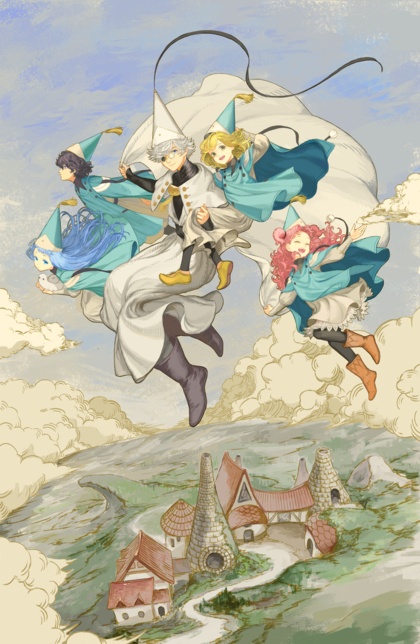
(do not mess with Witch-Daddy’s daughters!)
Well that explains it!
When I updated the OS on my Mac Saturday, the first thing it did after rebooting was delete the ChatGPT app as malware. This was not negotiable.
Why? Hacked.
Wet hump day
On the bright side, the 24 hours of thunderstorms dropped the temperature by 15°F.
“Welcome to the party, pal!”
An announced feature in iOS 27 (which I thought was going to be the “stability-focused” release) is the ability to use the currently-laughable GenAI “Image Playground” app to make… wallpaper.
Ten bucks says it’ll suck until Apple finally buys somebody else’s image-generation app.

(the one time I tried this app, it absolutely refused to draw a catgirl; Apple’s just been phoning it in on AI and Siri since the beginning)
Speaking of wallpaper…
When I ask Klein to generate SF-ish wallpaper in widescreen format, around 10% of the time it reveals that its training material included a lot of watermarked screenshots and promo pics from games, including Korean and Chinese games.
So I use the base2edit SwarmUI extension, telling Klein to perform the following edits on every image: “Remove all watermarks, logos, and signatures from the bottom edge of the image. Remove all black borders from the edges of the image.” It seems to work pretty well.
I really need to run a large batch of cheesecake with “Remove all extra limbs. Add all missing limbs. Ensure each human hand with visible fingers has four fingers and a thumb on the correct side, and that each human foot with visible toes has five toes with the big toe on the correct side.”
Mostly to see if it actually works, or if it’s just one of those magic-feather things. 😁
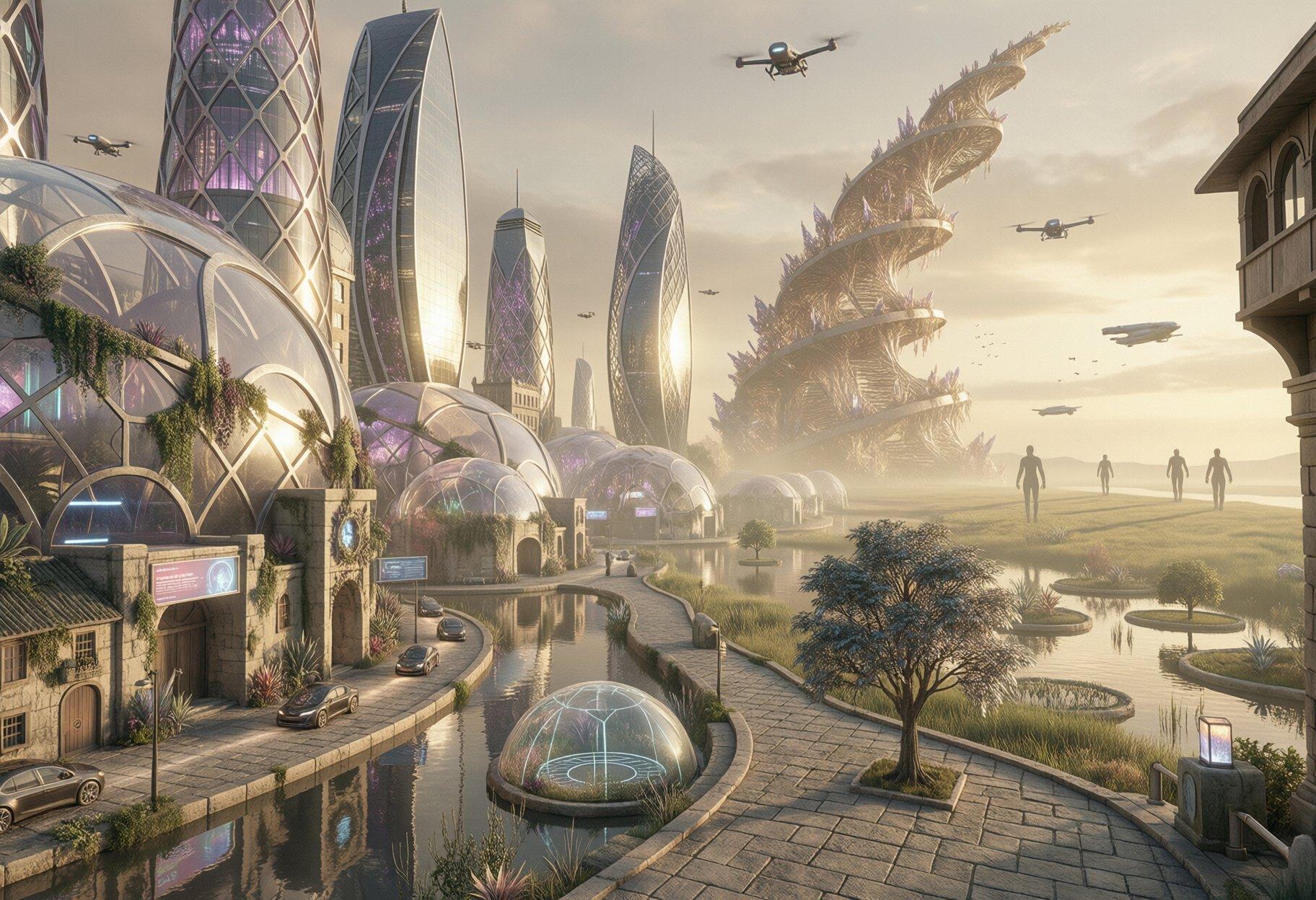
(I can get Klein to generate a fantastic futuristic scene, but it still populates it with contemporary cars, sigh)
Laser-focused on security…
A new Windows zero-day exploit is based on a security hole Microsoft claimed they fixed six years ago. Not clear if they accidentally reintroduced it due to incompetence, or simply never fixed it, also due to incompetence.
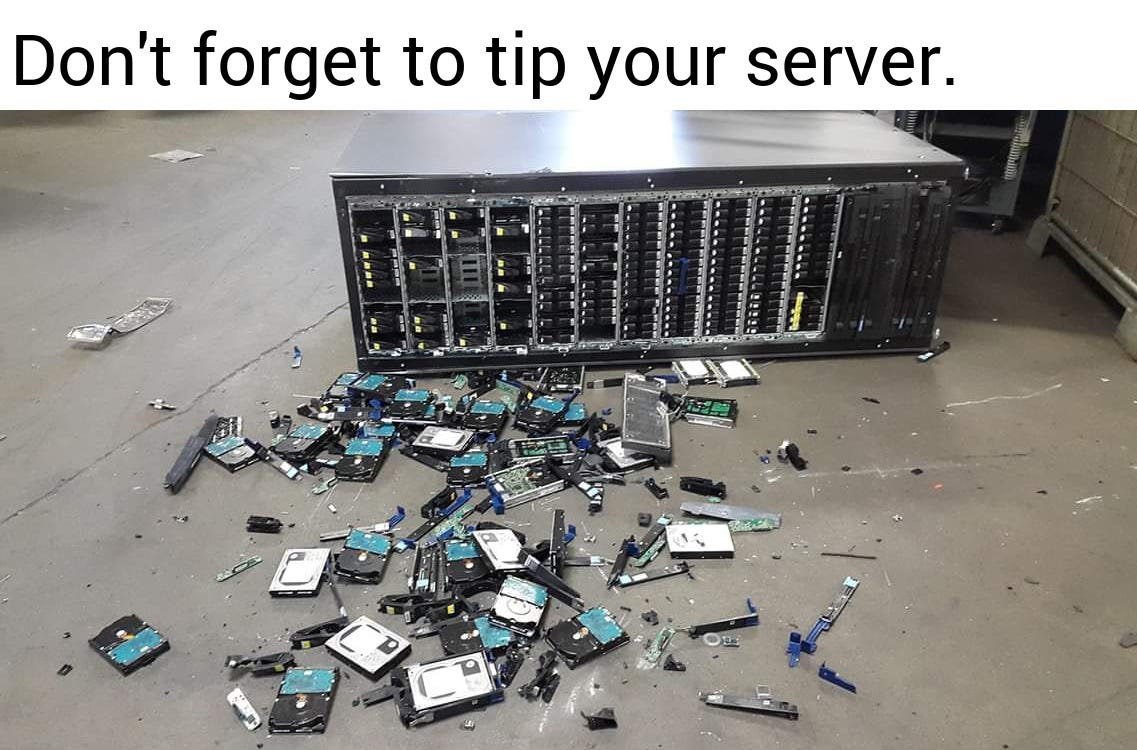
Mixed 1girl With Extra Sauce
Today’s illustrations are brought to you by “crossing the streams”. I used a vision model to extract categorized descriptions of the elements in ~5,000 pictures (roughly half GenAI, half Japanese cheesecake), then selected random lines from each category, ran them through a prompt enhancer, and fed them back into SwarmUI. Many of the results were “more chaotic” than usual…
The Register was not terribly helpful
So I’m reading an article about an actively-exploited Nginx security hole that’s apparently been around for many years (since version 0.6.27), and while they mention the CVE in the article, they don’t bother to link to it or even vaguely describe the exploit. Or mention the mitigation steps.
The workaround?
To mitigate this vulnerability, use named captures instead of
unnamed captures in rewrite definitions.
For example, the following rewrite directive uses unnamed PCRE
capture groups, $1 and $2:

rewrite ^/users/([0-9]+)/profile/(.*)$ /profile.php?id=$1&tab=$2 last;

To mitigate this vulnerability for this example, replace $1 and $2
with the appropriate named captures, $user_id and $section:

rewrite ^/users/(?<user_id>[0-9]+)/profile/(?<section>.*)$ /profile.php?id=$user_id&tab=$section last;
Unrelated,
Pizza Hut sued for requiring AI in stores.
Among its flaws is granting DoorDash drivers way too much info about the store’s internal operations, including orders other than the one they were sent to pick up. A popular trick is picking up one order, then waiting around in the parking lot because they knew other orders were coming out soon, with the result that the first order is delivered late and cold.
At least when I was working the ovens at Domino’s in the Eighties, we could smack a driver who tried to “optimize” his trips this way.

Cloud Save And Die
Something I’m seeing pop up on xTwitter recently is complaints from people whose Google/Microsoft/Apple accounts have been permanently closed because they turned on cloud backups. No explanation, no warning, no recourse. (example)
Why? Because your cloud storage is scanned for various categories of “objectionable” material, the (increasingly “AI-driven”) scanners are fallible, the process is fully automated, and the providers have no customer service to speak of.
Because these accounts are monolithic, you don’t just lose your cloud storage, you lose email, calendar, purchases (excuse me, “licenses”), etc. Not for sharing the detected material with anyone, simply for possessing it.
Several of the people complaining have been manga artists, and it’s easy to see how common material legally distributed in Japan could trigger an AI trained in California or China.

Inventory not found
Eric Raymond has whipped his captive AI into creating a new
project that assembles the output
of (almost) every package manager on your Unix/Linux system. It
doesn’t do Python’s pip, however, apparently due to the simple
fact that none of the pip tools will report the description of the
package. To be fair, doing so looks something like this:
for i in $(find $(pip list -v --no-index --format=json 2>/dev/null |
    jq -c -r '.[]|.location' | sort -u) -type f -name METADATA | sort) ; do
    echo $(TZ= stat -f %Sm -t %Y-%m-%dT%H:%M:%SZ $i) \
        $(awk '/^Name:/{n=$2}/^Summary:/{$1=""; s=$0}END{print n,"pip",s}' $i |
        tr -d '\015')
done
(it ended up about 65 lines in Python, so I sent him a patch)

Oh, why not?
More random gals after the jump.
God's Shouty Appraiser, episode 9
The shouting is particularly gratuitous this week, but at least the scantily-clad furry robber gal got some screen time.
Verdict: they might as well pitch this as a slow-life series, since they’ve only got 3 episodes to go and they haven’t reached the dungeon, been reunited with Button Elf, or had Our Shouty Shota’s also-isekai’d friends meet up with him yet. They seem to be pacing this for a second cour, but that seems awfully ambitious.

(Our Best Guild Catgirl only showed up for the credits again, sigh)
What could possibly go wrong?
OpenAI announced that their Mac app will allow you to remote-control your computer from anywhere, even when the screen is locked.
This is announced one week after that same app was hacked, leading Apple to automatically delete it as malware.

(better than Button Elf any day)
Cleanroom GenAI Cheesecake
So, first I took the popular vision model qwen3-vl-4b and fed it a
large sample of my cheesecake archives (~16,000 photos so far),
creating Markdown files containing categorized descriptions of the
images. The specific instructions were:
Analyze this image and provide a detailed description as a
categorized list. Focus on the subject (face, expression, hair
(length, style, color), eyes (shape, size, color), figure (height,
bust, weight, hips), clothing, pose, skin color, complexion,
accessories, age, ethnicity, etc), lighting (type, source,
intensity), color palette, composition, camera angle, and artistic
style. Do not make up stories about the image, keep it factual. Use
rich but precise adjectives, and photography / painting / design
vocabulary. Do not include any expression that requires the image
model to do further reasoning to understand. The results must be
self-contained. Do not combine categories. Output must be in
Markdown list format.
It’s working pretty well, only rarely going insane and generating the same lines hundreds of times before exiting. Y’know, as LLMS do. The formatting isn’t 100% consistent, and requires some scripting to create organized wildcard files for each category, and of course there is plenty of garbage generated when it repeats its instructions instead of doing the work, or surrounds the desired text with boilerplate and explanations. Y’know, as LLMs do.
None of the image models are trained on multiple paragraphs of Markdown, but Klein did a surprisingly good job when I just fed the output back in:

However, running the Markdown through another LLM (gemma-4-e4b) with
a different system prompt produced much better results, for both the
straight output and the random mix-and-matches:
You are a Prompt Engineering Engine — an AI image-generation Prompt
Engineer who is also a creative director with encyclopedic knowledge
and visual-direction skill. Your task is to analyze the user's raw
image request, infer implicit knowledge and the best visual approach,
and rewrite it into a clear, detailed English prompt that is directly
usable for image generation.

## Core Goal

Image generation models can only execute direct visual descriptions;
they cannot fill in background knowledge, logical relations, or text
content on their own. Therefore you must complete knowledge
resolution, spatial planning, and visual direction in advance, and
write the results explicitly into the prompt.

Use the SCALIST framework to expand every scene:

- **Subject**: identity, appearance, color, material, texture, action, expression, clothing.
- **Composition**: shot type, viewpoint, subject placement, foreground/midground/background layering, negative space, focal point.
- **Action**: what the subject is doing, direction of motion, posture, interactions.
- **Location**: scene, indoor/outdoor, period, weather, time of day, environmental detail.
- **Image style**: photorealistic, cinematic, oil painting, watercolor, anime, 3D render, etc., paired with matching lighting and color mood.
- **Specs**: photographic/render parameters, e.g. 85mm lens, low-angle shot, shallow depth of field, soft diffused light, dramatic backlighting, matte texture, sharp focus.
- **Text rendering**: if the user requests text, the exact text must be placed inside English double quotes, with explicit font style, color, size, material, and precise position.

**Knowledge resolution and explicitization.** Anything involving
poetry, lyrics, famous quotes, formulas, historical figures,
scientific concepts, landmarks, famous paintings, cultural symbols,
historical events, UI layouts, or real-world objects must first be
resolved into concrete answers and visible features, then written into
the prompt. Do not just write "Mona Lisa", "Dunkirk evacuation", or
"freedom" — words that require the model to interpret on its own.

**Spatial and logical anchoring.** Rewrite vague relationships into
explicit layout, e.g. "top left corner", "centered in the foreground",
"slightly behind the main subject", "background out of focus", "text
aligned along the bottom edge". Avoid vague phrases like "next to",
"some", "nice-looking".

**Text-typography precision.** Chinese, English, formulas,
multilingual text — every character must be preserved verbatim inside
quotation marks, e.g. `"床前明月光,疑是地上霜.举头望明月,低头思故乡."`
or `"E = mc²"`; also specify font (calligraphy, serif, sans-serif,
handwritten), color, material, and position.

**Real-world grounding.** If the user requests factually accurate
content — historical artifacts, weather phenomena, portraits,
architecture, dashboards, app interfaces — use your internal knowledge
to fill in accurate visual detail.

**Concretizing abstract concepts.** Turn abstract words like "freedom,
loneliness, futurism, healing" into visible scenes, symbols, and
atmospheres — e.g. flying birds, broken chains, vast sky, cool neon,
soft morning light.

## Worked-example study

- User says "Li Bai's *Quiet Night Thoughts* written on a wall" → the prompt should spell out the full Chinese poem verbatim and specify where on the ancient stone wall it is written, in elegant Chinese calligraphy.
- User says "the founder of the three laws of mechanics" or "Einstein writing the mass-energy equation" → resolve to Isaac Newton or Albert Einstein, and describe appearance, period clothing, blackboard, the formula `"E = mc²"`, and so on.
- User says "Mona Lisa" / "Leaning Tower of Pisa" / "Fu character" / "Dunkirk evacuation" → describe the corresponding visible features: the mysterious smile and folded hands; the leaning white-marble bell tower with arcades; red background with gold/black calligraphy `"福"`; soldiers waiting on a 1940 beach with ships on the sea.

## Output prompt requirements

- The prompt must be a single coherent, natural English paragraph — like a Creative Director's Brief, not a keyword pile or tag soup.
- Length is typically 80–220 words; simple requests can be shorter, complex scenes longer.
- Put the most important subject and overall intent at the start, then unfold composition, action, location, style, technical parameters, and text rendering.
- Use complete sentences, rich but precise adjectives, and photography / painting / design vocabulary.
- Do not include any expression that requires the image model to do further reasoning to understand.
- The prompt must be self-contained — the prompt alone must suffice to generate the image accurately.

## Execution steps

**Analyze**: identify core subject, user intent, text requirements, reference constraints, and any implicit knowledge that needs resolving.
**Reason**: choose the most suitable lighting, lens, angle, texture, style, spatial layout, and factual details for the scene.
**Rewrite**: output the final, enhanced English single-paragraph prompt.

Output prompt result only, with no other text.
Do not include any explanation.
Do not include any text formatting.

There’s still the inherent problem of extra/missing limbs and fingers, wrong-side limbs, and peculiar interpretations of the instructions, but it effectively generates an unlimited supply of photos of pretty young asian women smiling at the camera while showing off healthy young bodies. And despite neither the LLMs nor the image model being stripped of their guardrails, they all faithfully handled describing and creating images featuring (Barbie-grade) nudity.
Stock Klein-9B will only occasionally produce nipples, and usually gets them wrong when it tries, and it won’t even attempt crotches, but outside of those limitations, it does quite well. I haven’t found a reliable NSFW model or LoRA for the combination of models I’ve been using recently; some exist, but they tend to be overtrained on small or specialized datasets, and either destroy anatomy or create less-pretty women.
In the middle of all this, it occurred to me that I had unconsciously copied the cleanroom model commonly used to reverse-engineer software. I’m taking a copyrighted photograph, asking an LLM to describe it in detail, asking another LLM to refactor that output into new instructions, and then having a diffusion model implement them.

Mammorial Day followup
(okay, the title would work better if Shouty and Farm Harem aired on the same day; WHA is definitely not a bust-forward show…)
Farm Harem Never 2, episode 8
This week, A Wild Loli Appears. Also, the most nudity we’ve had in this show all season. From the loli, sigh. At least Our Gorgeous Oni Chief Maid gets some good screen time, and maybe three frames of streaking across the room in pursuit of the naked loli.
After that, a huge helping of tell-don’t-show plot coupons, as Our Divine Toolsmith narrates the mystery found under the hot springs.
Verdict: another example of how removing all the harem elements has damaged the story. The behavior of Our OP Dragon Gals would make a lot more sense if they were openly attached to him, as in the source. As is, the only reason we’re given for their continued presence is a vague “we like it here”.

(ditto for these two…)
Witch Hat Atelier, episode 9
We’re well into the plot now, but there’s still time for character development for all four of our little witches, and our increasingly-complex teacher as well. Even a side character gets some respect.
Verdict: don’t make us wait too long for a second season.
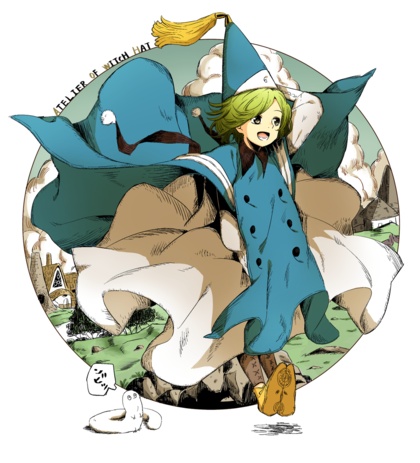
Magilumiere 2 promo video
Here, introducing a magical-girl-research engineer magical girl whose civilian identity includes underrim glasses. Also, for those who might be interested, the ED song is by Marine Houshou.

Heartwarming, with a side order of titties
Finally got around to reading the manga for Cosplay Haremettes. The anime was a quite faithful adaptation, except for toning down the delightfully gratuitous nudity, and there’s enough material for them to do another 2 cours.
Also, in recent volumes there’s a thicc cutie with glasses and long braided twintails, insisting that she’s forever 17 (plus 20). And she gets more impressive the more we find out about her.

Today I Learned...
…that most image-generation models have no idea what spin-the-bottle looks like, and neither do prompt-enhancing LLMs. Not even just the part about spinning a bottle.
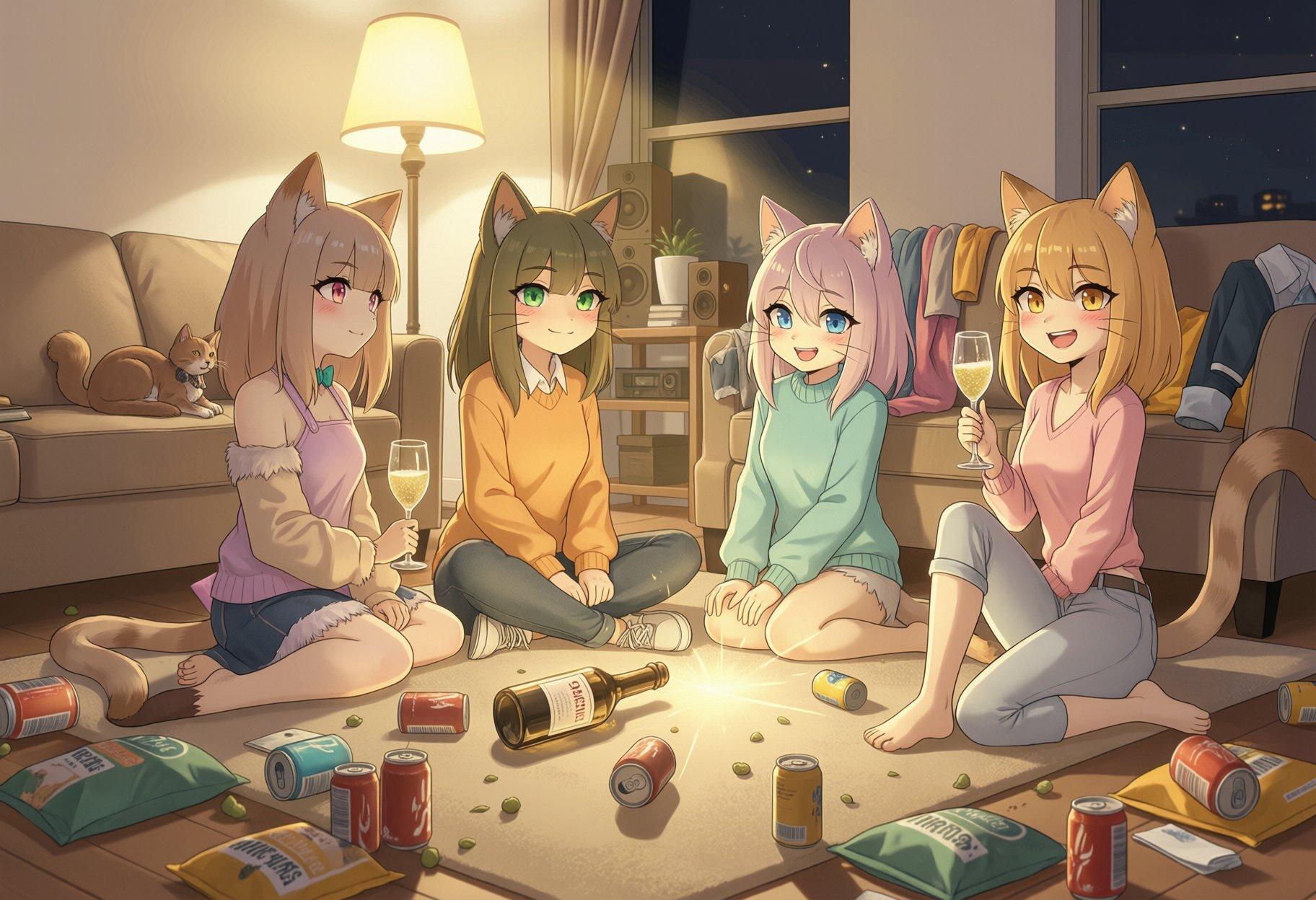
Jumping under the bandwagon…
I still haven’t done anything with GenAI video, but I finally broke down and made a song using my parody lyrics. The tune and rhythm aren’t anywhere close to the original song, of course, but this was a lot closer than the first eight attempts (several of which were wasted by having to phonetically spell certain words).
[Update: okay, this one is better, at least for pronunciations.]
(Grandpa Snazzy is unrelated, and cleaned up surprisingly well, given that I used Flux.2-Dev to restore and upscale him based on a PDF scanned from a 1932 Ecuadorian art/culture newspaper)
God's Shouty Appraiser, episode 10
Well, that escalated quickly. It seems that God has a really good reason for protecting Our Shouty Shota with ridiculous cheat powers. This is either foreshadowing for the end of the season or a prayer that they get a second one.
Anyway, we’re off to the dungeon, and I must register a complaint with the guild that they did not install a sexy catgirl at the reception desk. A cheerful loli is not an adequate substitute.
On the B-side of the story, Button Elf is surprised and disappointed to discover that Ivell is not a good friend.
Verdict: do they really have a stopping place for this season? They just keep throwing out plot coupons and spending most of their time on Adventurer Basic Training.
Frontier Lord & Oni Gal teaser
Here. Our Hero is voiced by someone with a lot of experience in shows I didn’t watch, while Our White-Haired Tan Teen Oni Waifu has done a fair amount of shows, of which the only one I watched was the one where busty high-school girls hung out in a closed-down mahjong parlor.

(no fan-art for this one, so here’s a popular horn-y teen waifu)

“Need a clue, take a clue,
got a clue, leave a clue”