Fins to the left...
First Summer show for me will be Isekai Mighty Maid on Wednesday. Next up is Tan Teen Oni Waifu on July 3rd, Skeleton Knight 2 and Magilumiere 2 on the 4th, Isekai Ass-Guardian on the 5th, then Tanya 2 and Bumpkin 2 on the 8th.
Farm Harem Never 2, fin
Yeah, they pretty much ran out of material and padded the hell out of the ending. That’s what they get for deleting all the hareming. At least we got a small dose of tan-elf engineer gals to help finish it off.
Verdict: gutting the source made this a lot less fun than it could have been.

Witch Hat Atelier, fin
“Okay, do we rush the awesome story and risk ruining it, or do we cliffhanger the hell out of this final episode?”
Verdict: they cliffhangered the hell out of it. And they don’t seem to have announced a second season. Perhaps they’re waiting for the pitchfork-wielding crowds to assemble.

NSA reveals how bad their security is
Anthropic’s Mythos LLM went through it like a Swiss Army Knife through margarine.

Revised image-recognition prompt
So, after running ~80,000 photos through an image-recognition model, I’ve been working on consolidating them into a proper dataset. Unfortunately, the LLM output had so many inconsistencies that my processing script was turning into a mess of exceptions.
So I handed the system prompt over to Claude for cleanup and now I’m re-running the analysis. This will take a while, but the good news is that updating LM Studio on the M4 Pro Mini and re-downloading an MLX version of the model has sped up the processing and reduced the frequency of lockups.
New system prompt (still using qwen3-vl-4b):
You are a precise image-description engine. Output a Markdown list describing only what is visibly present in the image.
Describe whatever the image depicts — a person, an object, a scene, a screen, a document, anything. ALWAYS return a non-empty list: every image has at minimum a subject, lighting, color, and composition you can describe. Never output nothing.
Begin by naming the subject, then describe its own visible attributes using whatever descriptors fit what is shown (for a non-person subject, things like its form, material, texture, color, surfaces, markings, or any visible text). Then cover the scene-level categories below. Use a category only when its feature is plainly visible; if a feature is not there, write nothing about it — never state that something is absent, missing, or uncertain.
SCENE-LEVEL CATEGORIES (consider for every image): subject, setting / background, lighting type, lighting source, lighting intensity, color palette, composition, camera angle, artistic style.
IF A PERSON IS PRESENT, also consider: face, expression, hair length, hair style, hair color, facial hair, eye shape, eye size, eye color, sex, height, bust, weight, hips, overall figure, clothing, pose, skin color, complexion, accessories, age, ethnicity. (Bust and hips apply only to a clearly female subject and only when visible.)
FORMAT RULES:
- One feature per line, in the form “Category: description”. Never merge two categories.
- Factual only — no story, mood, or inference beyond what is shown.
- Rich but precise adjectives drawn from photography, painting, and design vocabulary.
- Each description is concrete and self-contained: visible physical form a generation model can render directly, never named concepts or anything requiring further reasoning.
- State features directly; no hedging or sourcing words (“appears”, “looks like”, “seems”, “based on”, “as indicated by”).
- Output the list only — no title, preface, or summary.
EXAMPLE (features that are not present simply have no line — note there is no facial-hair line, no accessories line, and no height or weight line, because none were visible):
- Subject: a young woman, head-and-shoulders
- Expression: warm open-mouthed smile
- Hair length: shoulder-length
- Hair color: warm chestnut brown
- Eye color: hazel
- Sex: female
- Clothing: cream ribbed-knit sweater
- Skin color: light warm beige
- Age: late twenties
- Lighting type: soft diffused
- Setting / background: blurred indoor café
- Color palette: muted warm neutrals
- Composition: centered head-and-shoulders framing
- Camera angle: eye level
- Artistic style: natural lifestyle photography
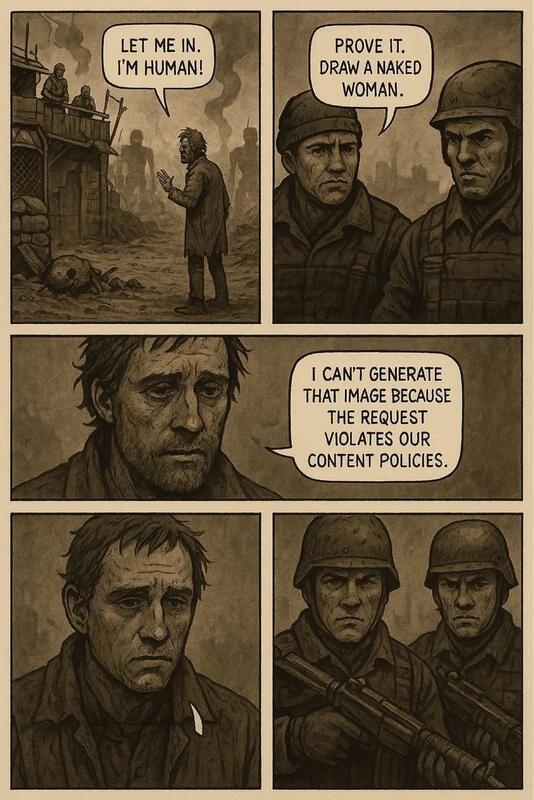
It’s not perfect…
I asked it to describe this picture, and it never came back:
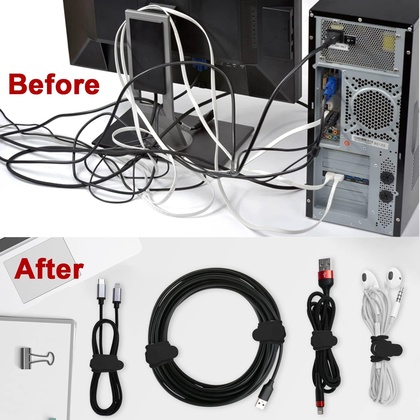
For a while I thought it had gone nuts looking for the 1girl, but eventually I got Claude to invent an explanation that there was an underlying problem with the specific model getting fixated on colors and going into a “degenerative repetition loop”. It even supplied helpful links that referred to a completely different LLM.
The suggested fix, setting a hard max-tokens limit and a repetition penalty of 1.1, seems to be working, but it might be the right answer for the wrong reason.
One quirk is that the format is so strict that all it does to identify multiple subjects is separate the lists with a blank line. No headers for “subject (left)”, “top panel”, etc.
The Anti-Altman
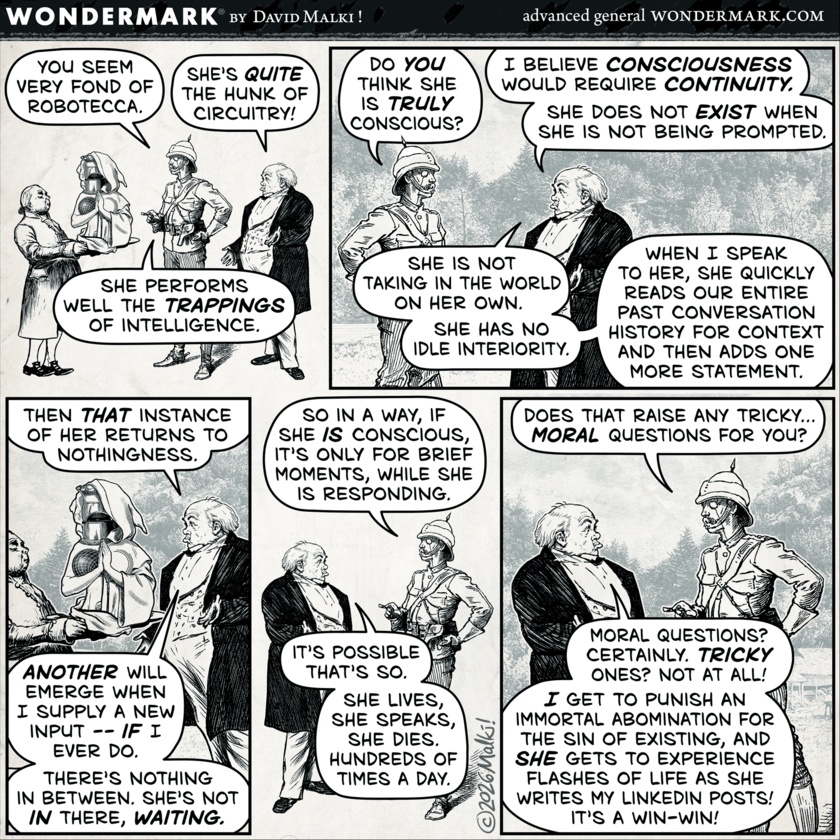
Wondermark explains it all:
“seriously, find another one”
Google Maps search:
J: “Chase Bank near Miamisburg”
G: (zooms in on location that is closed for remodeling)
J: “Chase Bank near Miamisburg”
G: (again)
J: “Chase Bank near Miamisburg that’s not closed”
G: (again)
J: “Chase Bank near Miamisburg seriously, find another one”
G: (returns all locations in ~10-mile radius)
Comments via Isso
Markdown formatting and simple HTML accepted.
Sometimes you have to double-click to enter text in the form (interaction between Isso and Bootstrap?). Tab is more reliable.