God's Favored Appraiser, episode 4
I’m going to have to change my title for this show to Adventures In Shoutyland. Other than that, it was surprisingly slow-paced for a single-cour cheat isekai show, with Team Hero training and learning the basics of shouty adventuring, while Team Button Elf shoutily explores a haunted ruin.
Verdict: with the volume set low, it’s still mildly amusing.

(Elf is unrelated, but there’s still no fan-art for this show…)
“Critical vulnerability in NGINX? Oh, no!”
“…but only if you embed agentic AI bullshit directly into your web server? Yeah, whatever.” Just the usual clickbait.
In other news, Microsoft’s new focus on code quality has resulted in releasing server patches that trigger reboot loops and disk-encryption popups. Hope nobody patched their production Windows servers first…
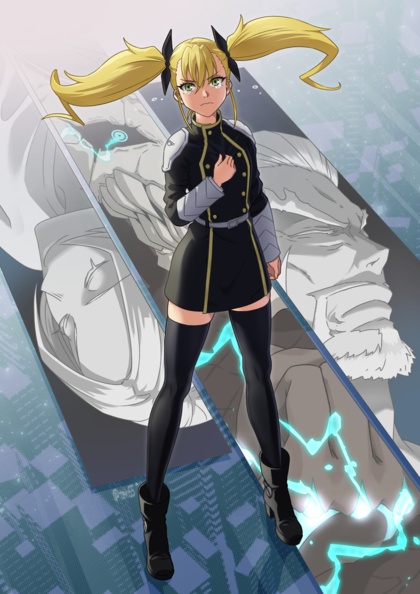
Hindsight is 20/20…
Bits in pixels
SwarmUI is capable of embedding JSON-formatted metadata in the images it generates, making it possible to see exactly how an image was made and reproduce it on your machine. I support it in my CLI for both reading and writing PNG and JPG formats, which required testing two separate code paths. I have to embed it by hand, because Python’s Pillow library defaults to stripping out all forms of metadata on save.
For PNG, SwarmUI uses UTF-8 in the PNG-info ‘parameters’ field. JPG,
on the other hand uses a Windows UTF-16 encoding in the EXIF
UserComment field, which Pillow cannot do correctly. The simplest way
to deal with EXIF correctly in Python is to use the exiftool
library, which is a shim around the Perl script of the same name. Perl
will never die.
It took me a while to clean up my script so that metadata is always handled correctly, so some of my earlier GenAI gallery posts have some images where it’s garbled or missing.
But Pillow isn’t the only software that strips useful metadata out of images. Discord strips everything from JPGs, so people on the SwarmUI Discord are in the habit of sharing in the much-larger PNG format. When Juan started tinkering with extreme AI upscaling, he ran into upload-size limits on the server, and experimented with the obscure “stealth” metadata settings in the app. TL/DR, saving as lossy WEBP with the metadata encoded in the alpha channel produced the smallest files that survive Discord’s stripping.

Before I could add support to my scripts, I needed some samples to play with, and some code that would give me a basic idea of how it’s encoded. The code came from the repo, the samples came from just changing settings in the app and regenerating the same pic several times in different formats.
The biggest surprise is that the data is encoded vertically, with the
high bits of the first byte in (0,0), the next in (0,1), and so on in
a continuous stream until you’ve read the header and the number of
bits recorded in the length field. The first 16 decoded bytes are a
string identifying the format, in the usual /etc/magic style.
“stealth_” is followed by either “png” (alpha-channel) or “rgb”,
then “comp” (gzipped) or “info”, followed by a newline; the next four
bytes contain a big-endian 32-bit integer indicating the length of the
stored data, which starts with the following byte.
The only part of the magic string that’s actually useful is the comp/info part, because you have to already know whether the data is stored in the alpha or RGB channels to decode it in the first place.
Alpha is easy: grab the low bit out of the first 8 pixels, and assemble them in order to make the first byte. For RGB, you have to extract the low bit from the R, G, and B channels in order, then save the leftover bit every third pixel as the high bit of the next byte. This makes it a bit (coughcough) annoying to locate the start of the data block.
The code works the same for both WEBP and PNG, but PNG has the drawback that there’s no compression, even for the alpha channel, so the image gets Even Bigger. With WEBP, you only have to use lossless compression if you try to store it in the RGB channels, for obvious reasons. Even when RGB is stored lossy, alpha isn’t, which is why that gives the best size savings.
I’ve checked a standalone script into my GenAI catchall repo, and I’ll be adding read-only support to my main script soon.
#!/usr/bin/env python
"""
Quick standalone hack to extract SwarmUI stealth metadata from the low
bit in WEBP/PNG images, where it is stored in the alpha channel if
present, or else the RGB channels. RGB is annoying to extract because
it only works for *lossless* WEBP, and it's a continuous bitstream of
3 bits per pixel, so it's a separate function to keep things clean.
"""

import sys
from PIL import Image
import gzip

def stealth_bytes_alpha(image, start=0, count=1):
    """
    Convert the low bit of each pixel in the alpha channel into bytes,
    where pixel (x,y) through (x,y+7) contain the bits in order, high
    to low.
    """
    start *= 8
    count *= 8
    lowbits = list()
    h = image.height
    x = start // h
    y = start % h
    while len(lowbits) < count:
        a = image.getpixel((x, y))[3]
        lowbits.append(a&1)
        y += 1
        if y == h:
            y = 0
            x += 1
    buf = bytearray()
    for i in range(0, len(lowbits), 8):
        b = 0
        for j in range(8):
            if i + j < len(lowbits):
                b |= lowbits[i + j] << (7 - j)
        buf.append(b)
    return buf


def stealth_bytes_rgb(image, start=0, count=1):
    """
    Convert the low bit of each channel in each pixel into bytes,
    where pixel (x,y) through (x,y+2) contain the bits in order, high
    to low, with one leftover to start the next byte. Because this
    is a pain in the ass to decode at arbitrary offsets, it's easier
    to just start from 0 each time and discard the unused bytes.
    """
    count *= 8
    lowbits = list()
    h = image.height
    x = 0
    y = 0
    while len(lowbits) < start * 8 + count:
        r,g,b = image.getpixel((x, y))
        lowbits.append(r&1)
        lowbits.append(g&1)
        lowbits.append(b&1)
        y += 1
        if y == h:
            y = 0
            x += 1
    buf = bytearray()
    # discard leftover bits
    while len(lowbits) % 8:
        lowbits.pop()
    for i in range(0, len(lowbits), 8):
        b = 0
        for j in range(8):
            if i + j < len(lowbits):
                b |= lowbits[i + j] << (7 - j)
        buf.append(b)
    if start > 0:
        return buf[start:]
    return buf


def stealth_bytes(image, start, count):
    if image.mode == 'RGBA':
        return stealth_bytes_alpha(image, start, count)
    else:
        return stealth_bytes_rgb(image, start, count)


def stealth_metadata(file):
    """
    Check the low bits of a WEBP/PNG image to see if it contains
    a JSON metadata structure:
        00-07   "stealth_"
        08-0A   "png" or "rgb" (stored in alpha channel or RGB)
        0B-0E   "comp" or "info" (gzipped or raw)
        0F      (unused)
        10-13   32-bit big-endian integer length of data, in bits
        14-??   data bytes
    If the image has an alpha channel, the low bits of pixels (0,0)
    through (0,7) contain the first byte; otherwise, the low bits
    of each of the RGB channels in pixels (0,0) through (0,2) contain
    the first byte (RGBRGBRG) as well as the high bit of the second
    byte.
    """
    try:
        im = Image.open(file)
    except Exception as e:
        print(e)
        sys.exit()
    if im.format in ['WEBP', 'PNG']:
        magic = stealth_bytes(im, 0, 11).decode(errors='ignore')
        if magic in ['stealth_png', 'stealth_rgb']:
            is_comp = stealth_bytes(im, 11, 4).decode(errors='ignore')
            data_len = 0
            for b in stealth_bytes(im, 15, 4):
                data_len = data_len * 256 + b
            data = stealth_bytes(im, 19, data_len//8)
            if is_comp == 'comp':
                data = gzip.decompress(data)
            params = data.decode(errors='ignore')
            return params
    return None

sys.argv.pop(0)
if len(sys.argv) > 0:
    params = stealth_metadata(sys.argv[0])
    if params:
        print(params)
else:
    print('Usage: stealth.py sui-image.webp')
Comments via Isso
Markdown formatting and simple HTML accepted.
Sometimes you have to double-click to enter text in the form (interaction between Isso and Bootstrap?). Tab is more reliable.