Fan-Service Rocks!, episode 8
Our DFC Ponytail-Bearing Redheaded Schoolgirl Pal (currently only known by her last name, although now that she’s slipped up and called Our Crystal-Crazy Heroine Ruri-chan, she’s sure to be Shoko-chan soon) stumbles across an unusual orange rock, then stumbles and loses it, leading to a deep-woods adventure that wipes out even the energetic Ruri, terminating in an abandoned factory. Whatever they were producing, the conditions were just right for making big orange crystals, as explained by Our Well-Rounded Mentor.
Nagi’s wisdom is as deep as…

(by the way, this is only the second role for L’il Red’s voice actress)
There And Back Again
My wayward Amazon package finally arrived Friday night, and it was even intact (mildly surprising since it had no packaging whatsoever, just a label slapped on the side). There was no indication of how it went astray, like a second label or a half-dozen scenic postcards, but there is a punchline to the story.
The first entry in Amazon’s tracking has it starting out in San Diego, CA on the 28th. From there it went to: Cerritos, CA on the 29th; Hodgkins, IL on the 2nd; Bell, CA on the 6th; La Mirada, CA on the 7th; Hodgkins, IL and two cities in Ohio on the 9th; then the UPS depot up the street from me early on the 10th, and finally onto my front porch that evening.
The punchline? The shipping label on the package says it really shipped from Hebron, KY. Which is about an hour’s drive from my house.

(I guess it just wanted a little more flight time)
The worst thing about Larry Correia’s Academy Of Outcasts…
…is that it convinced Amazon I’m interested in ‘LitRPG’, a genre I have repeatedly run away screaming from. Not just because the genre is cursed with premature subtitlisis and epicia grandiosa, things that have been turning me away from overambitious new authors for decades.
The book? Fun, although I kept getting distracted by on-call alerts, so it wasn’t an in-one-sitting kind of read. I’ll buy the next one.

(announcing your Grand Epic Plans on the cover of your first novel is a curse that was infesting the SF/fantasy mid-list back when publishers used to sign damn near every first-time novelist to a three-book contract with ambitious delivery dates, only for both sides to discover that it takes more than a year to write a decent sequel to a book that was written part-time over five years)
“You’ve heard of ‘filthy rich’? We’re ‘disgusting’”
In the end, I didn’t have Claude restructure the YAML file from
$color/$loc/$time/$type to scene/$type/$color/$log/$time; instead
I had the bright idea of molesting it with a one-liner (unpacked for
clarity):
grep : scenes.yaml |
    perl -ne '
        next if /^#/;
        ($s,$k) = m/^( *)([^:]+):$/;
        $i = int(length($s)/2);
        $p[$i] = $k;
        print "." . join(".", @p[0..$i])," ",
            join("/", @p[0,4,1,2,3]),"\n" if $i == 4
    ' |
    sort -k2 |
    while read a b; do
        echo "# $b"
        yq $a scenes.yaml
        echo
    done
TL/DR: I used the indentation level to populate an array, printed out
the original structure as a yq selector and the new structure as a
path, sorted by the new path, then dumped out each section. After that
it was a single search-and-replace to indent all the items, and a
quick Emacs macro to convert the paths into the new YAML structure.
The thing that took the longest was removing the redundant indented
keys, which technically wasn’t necessary to create the correct YAML
structure.
Probably took less time than writing an explicitly detailed request to Claude.
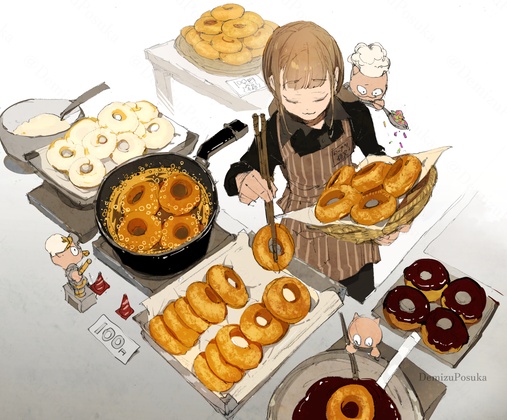
Waifu Harem Rotation
To overcome the Apple-imposed limitations on wallpaper changes, I
instructed Claude to write a little Python script that shuffles
separate sets of images for each display at a chosen interval. I
called it waifupaper, of course:
#!/usr/bin/env python3
"""
Waifupaper - Changes MacOS wallpapers at fixed intervals

Bugs:
- doesn't work if wallpaper is currently set to rotate.
- fails to load images if called without full path to directories.
"""

import argparse
import os
import random
import subprocess
import sys
import time
from pathlib import Path
from collections import defaultdict


def get_directory_state(directory):
    """Get the current state of a directory (modification time and file count)."""
    directory = Path(directory)
    try:
        # Get the directory's modification time
        mtime = directory.stat().st_mtime
        # Count image files
        image_extensions = {'.jpg', '.jpeg', '.png', '.bmp', '.gif', '.tiff', '.tif', '.heic'}
        file_count = sum(1 for f in directory.iterdir()
                        if f.is_file() and f.suffix.lower() in image_extensions)
        return (mtime, file_count)
    except Exception:
        return None


def get_image_files(directory):
    """Get all image files from a directory."""
    image_extensions = {'.jpg', '.jpeg', '.png', '.bmp', '.gif', '.tiff', '.tif', '.heic'}
    directory = Path(directory)

    if not directory.exists():
        print(f"Error: Directory '{directory}' does not exist", file=sys.stderr)
        sys.exit(1)

    if not directory.is_dir():
        print(f"Error: '{directory}' is not a directory", file=sys.stderr)
        sys.exit(1)

    images = [
        str(f.resolve()) for f in directory.iterdir()
        if f.is_file() and f.suffix.lower() in image_extensions
    ]

    if not images:
        print(f"Error: No image files found in '{directory}'", file=sys.stderr)
        sys.exit(1)

    return images


def get_display_count():
    """Get the number of connected displays."""
    try:
        # Use system_profiler to get display information
        result = subprocess.run(
            ['system_profiler', 'SPDisplaysDataType'],
            capture_output=True,
            text=True,
            check=True
        )
        # Count occurrences of "Display Type" or "Resolution"
        count = result.stdout.count('Resolution:')
        return max(1, count)  # At least 1 display
    except subprocess.CalledProcessError:
        return 1  # Default to 1 display if command fails


def set_wallpaper(image_path, display_index=0):
    """Set wallpaper for a specific display using AppleScript."""
    # AppleScript to set wallpaper for a specific desktop
    script = f'''
    tell application "System Events"
        tell desktop {display_index + 1}
            set picture to "{image_path}"
        end tell
    end tell
    '''

    try:
        subprocess.run(
            ['osascript', '-e', script],
            check=True,
            capture_output=True
        )
    except subprocess.CalledProcessError as e:
        print(f"Warning: Failed to set wallpaper for display {display_index + 1}: {e}", file=sys.stderr)


def main():
    parser = argparse.ArgumentParser(
        description='Rotate wallpapers on Mac displays at fixed intervals',
        formatter_class=argparse.RawDescriptionHelpFormatter,
        epilog='''
Examples:
  %(prog)s ~/Pictures/Wallpapers
  %(prog)s ~/Pictures/Nature ~/Pictures/Abstract -i 60
  %(prog)s ~/Pictures/Wallpapers -s -i 120
  %(prog)s ~/Pictures/Nature ~/Pictures/Abstract -1 -3
        '''
    )

    parser.add_argument(
        'directories',
        nargs='+',
        help='One or more directories containing wallpaper images'
    )

    parser.add_argument(
        '-i', '--interval',
        type=int,
        default=30,
        help='Interval in seconds between wallpaper changes (default: 30)'
    )

    parser.add_argument(
        '-s', '--sort',
        action='store_true',
        help='Sort images instead of shuffling (default: shuffle)'
    )

    parser.add_argument(
        '-1', '--display1',
        action='store_true',
        help='Only affect display 1'
    )

    parser.add_argument(
        '-2', '--display2',
        action='store_true',
        help='Only affect display 2'
    )

    parser.add_argument(
        '-3', '--display3',
        action='store_true',
        help='Only affect display 3'
    )

    parser.add_argument(
        '-4', '--display4',
        action='store_true',
        help='Only affect display 4'
    )

    parser.add_argument(
        '-v', '--verbose',
        action='store_true',
        help='print verbose output'
    )

    args = parser.parse_args()

    # Determine which displays to affect
    selected_displays = []
    if args.display1:
        selected_displays.append(0)
    if args.display2:
        selected_displays.append(1)
    if args.display3:
        selected_displays.append(2)
    if args.display4:
        selected_displays.append(3)

    # If no specific displays selected, affect all displays
    affect_all_displays = len(selected_displays) == 0

    # Validate interval
    if args.interval <= 0:
        print("Error: Interval must be a positive number", file=sys.stderr)
        sys.exit(1)

    # Get display count
    num_displays = get_display_count()
    if args.verbose:
        print(f"Detected {num_displays} display(s)")

    # Validate selected displays
    if not affect_all_displays:
        for display_idx in selected_displays:
            if display_idx >= num_displays:
                print(f"Warning: Display {display_idx + 1} selected but only {num_displays} display(s) detected",
                      file=sys.stderr)
        # Filter out invalid display indices
        selected_displays = [d for d in selected_displays if d < num_displays]

        if not selected_displays:
            print("Error: No valid displays selected", file=sys.stderr)
            sys.exit(1)

    # Prepare image lists for each display
    display_images = []
    directory_states = {}  # Track directory modification times

    # Determine which displays will be managed
    if affect_all_displays:
        managed_displays = list(range(num_displays))
    else:
        managed_displays = sorted(selected_displays)

    if args.verbose:
        print(f"Managing display(s): {', '.join(str(d + 1) for d in managed_displays)}")

    for i in managed_displays:
        # Use the corresponding directory, or the last one if we run out
        dir_index = min(managed_displays.index(i), len(args.directories) - 1)
        directory = args.directories[dir_index]

        images = get_image_files(directory)

        if args.sort:
            images.sort()
        else:
            random.shuffle(images)

        display_images.append({
            'images': images,
            'index': 0,
            'directory': directory,
            'display_index': i  # Store the actual display index
        })

        # Track initial directory state
        directory_states[directory] = get_directory_state(directory)

        if args.verbose:
            print(f"Display {i + 1}: {len(images)} images from '{directory}'")

    if args.verbose:
        print(f"\nRotating wallpapers every {args.interval} seconds")
        print("Monitoring directories for changes...")
        print("Press Ctrl+C to stop\n")

    try:
        iteration = 0
        while True:
            # Check for directory changes before setting wallpapers
            for display_data in display_images:
                directory = display_data['directory']
                current_state = get_directory_state(directory)

                # If directory state changed, reload images
                if current_state != directory_states.get(directory):
                    display_num = display_data['display_index'] + 1
                    if args.verbose:
                        print(f"📁 Directory changed: '{directory}' - reloading images...")

                    new_images = get_image_files(directory)

                    if args.sort:
                        new_images.sort()
                    else:
                        random.shuffle(new_images)

                    display_data['images'] = new_images
                    display_data['index'] = 0
                    directory_states[directory] = current_state

                    if args.verbose:
                        print(f"   Loaded {len(new_images)} images for display {display_num}\n")

            # Set wallpaper for each display
            for display_data in display_images:
                images = display_data['images']
                current_index = display_data['index']
                actual_display_idx = display_data['display_index']

                image_path = images[current_index]
                image_name = Path(image_path).name

                if args.verbose:
                    print(f"Display {actual_display_idx + 1}: {image_name}")
                set_wallpaper(image_path, actual_display_idx)

                # Move to next image, wrap around if needed
                display_data['index'] = (current_index + 1) % len(images)

                # Reshuffle when we complete a cycle (if not sorting)
                if display_data['index'] == 0 and not args.sort and iteration > 0:
                    random.shuffle(display_data['images'])
                    if args.verbose:
                        print(f"  → Reshuffled images for display {actual_display_idx + 1}")

            iteration += 1
            if args.verbose:
                print()
            time.sleep(args.interval)

    except KeyboardInterrupt:
        if args.verbose:
            print("\n\nWallpaper rotation stopped.")
        sys.exit(0)


if __name__ == '__main__':
    main()
Fun fact: Apple’s virtual desktop ‘spaces’ have their own wallpaper settings, which means that each display has different wallpaper settings for each ‘space’. And if you want to keep the menubar on your main display, you have to tick the ‘use same spaces on all displays’ setting.
But ‘spaces’ are not manageable via Applescript, so changing wallpaper affects only the active space. Which means that if this script is running in the background, it will effectively follow you from space to space, updating the wallpaper on the active one. Which is kind of what I wanted anyway, but isn’t what the built-in rotation does. Apple’s standard behavior uses undocumented private APIs, which is a very Apple way to do things these days.

Work-still-in-progress
Revised the lighting & composition wildcards, revised the retro-SF costume wildcards. Next up will be throwing all the retro-SF location prompts into the Claude-blender and having it generate new ones broken down by category; not only are the current ones getting over-familiar, they come from several different models and a variety of prompts, with varying degrees of retro-SF-ness. After that I’ll probably throw the pose file at it; I did some manual categorization, but it’s still a real mish-mash of styles. Either that or the moods and facial expressions, which most models don’t handle well conceptually; I’m going to try asking for the physical effect of words like “happy”, “sexy”, “eager”, “playful”, “satisfied”, etc, and see if it produces something an image-generator can differentiate from “resting bitch face”.
Yet Another Example of words not to use with Qwen Image: the fashion term “cigarette pants” is taken literally, with half-smoked butts randomly placed around the hips. Only once did it put one in the gal’s hand, and I don’t think it ever interpreted it as “skinny pants”.
Also, I’m making a note to go through the costume components and downweight many of them; quilting and padding wear out their welcome quickly, especially when they get applied to gloves and make it look like she’s wearing oven mitts.

🎶 🎶 🎶 🎶
I won’t count fingers and toes,
as long as you make pretty waifus,
Genai, you fool.I won’t count fingers and toes,
but I want limbs on the correct sides,
and each type should have only two.
🎶 🎶 🎶 🎶
Comments via Isso
Markdown formatting and simple HTML accepted.
Sometimes you have to double-click to enter text in the form (interaction between Isso and Bootstrap?). Tab is more reliable.